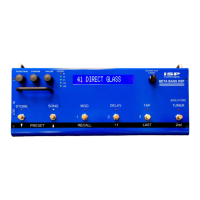
the MOD SWITCH: function is set to FLANGER and the flanger is
on and delay is off, or the MOD switch is the last one used to turn
on the effect.
5. FLA DEPTH 2 (0 to 100): As described for voice 1.
6. FLA RATE 2/1 (0.1 to 1.5): Sets the ratio between the rate of voice
2 and the rate of voice 1. It is done this way so that if the rate of
voice 1 is varied by either the VALUE knob, the TAP function, or
the EXP. PEDAL function, both rates will track each other.
L) DELAY Function
1. DELAY (OFF or ON): Turns the delay OFF or ON. Controlled by
the VALUE knob or the DELAY switch. Turning the Delay OFF
mutes both the input and output of the delay, so the delayed output
stops immediately.
2. DLY TYPE (SINGLE or PING-PONG): SINGLE is a mono delay
that can be panned. PING-PONG is two separate delays that
regenerate their outputs into each other, and are panned to the
opposite channels.
3. DELAY LEVEL (OFF to 0 dB): Controls the level of the delayed
signal.
4. REGEN LEVEL (OFF to 0 dB): Controls the level of successive
repeats of the delay, and therefore the number of repeats that can
be heard. If set to –10 dB, each echo will be 10 dB lower than the
one before it.
5. DELAY TIME (SINGLE: 10 ms to 1300 ms, PING-PONG: 10 ms to
640 ms): 1300 ms = 1.30 seconds. The delay time can also be set
by pressing the 2
nd
switch, then pressing twice (tapping) on the
TAP switch. The time interval between taps will set the delay time.
You can tap twice again to change the setting. If the interval
between taps exceeds the maximum delay time, the delay time will
be set to the maximum. If you only tap once, after a few seconds
the time will be set to the maximum for the delay type selected.
Press STORE if you want to save the new delay time. Press 2
nd
again to exit the tap function.
6. DELAY PAN (0 to 100): Pans the delay output. 0 is fully Left, 100
is fully Right, and 50 is centered. For PING-PONG, a setting of 0
will put the first echo in the left channel and the second echo
(depending on the REGEN LEVEL setting) in the right channel. A
PAN value of 100 will reverse this. A PAN value of 50 will put both
delays in both channels, which kind of defeats the purpose of the
Ping-Pong. Of course the DIRECT PAN in the Mixer Function can
be used to pan the direct signal to the opposite channel from the
first echo, if wanted.


 To Next Page
 Loading...