those presets will display a FAIL message. Storing to presets 201-224 is
always allowed. See the section on the Global Parameters for more
information on how to turn off the Locks.
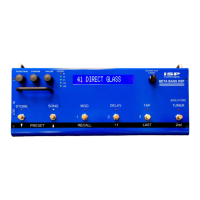
10. To copy a preset to a different location, first recall the preset. Then scroll to
the desired new location by using the PRESET down or up switches, or the
VALUE knob (if FUNCTION is set fully counterclockwise). Note that the
preset titles will flash, meaning the preset is not fully recalled. Then press 2
nd
,
STORE to store the last recalled preset into the new location. The original
contents of this location will be overwritten, so be carefull. Since the unit
ships with 100 unique presets written in locations 1 to 100, then repeated
again in locations 101 to 200, we recommend that you leave one of the two
banks locked to prevent inadvertantly writing over the original presets, at least
until you really need the storage space for your own presets.
11. Read the rest of the manual, it contains much valuable information to get the
most from your BETA DSP


 To Next Page
 Loading...