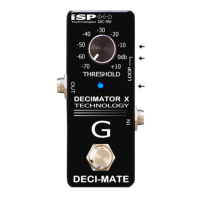
The Decimator II Noise Reduction pedal is the latest
generation in noise reduction technology. The
Decimator features improved Linear Time Vector
Processing that offers the smoothest, ripple free
approach in tracking the envelope of the input signal.
The LTVP will instantly respond to short staccato notes
and at the same time provide ripple free control of long
sustained notes while downward expanding. The
Decimator pedal is easy to use and simple to operate.
The threshold control on the Decimator II should be
adjusted by listening to the noise floor while no
instrument signal is present. The threshold control
should be turned clockwise until the noise floor
becomes inaudible. It may be necessary to readjust the
threshold with the guitar volume all the way on in order
to accommodate the additional noise the guitar may
induce. Adjusting the threshold too far clockwise may
cause the downward expander to attenuate the output
level too quickly and not allow the signal to decay
naturally.
To install the battery, loosen the thumbscrew shown
above and raise the switch cover to allow access to the
battery compartment. Insert a 9v battery to the
connector and place the battery into its compartment
and close by holding the switch cover down and
tightening the thumbscrew.
To use the Decimator II with an external power adapter,
select an adapter with at least 100 milliamps capability
at 9 volts DC. Make sure the adapter is polarized “TIP
NEGATIVE”.
For best performance place all gain pedals in
front of the Decimator II. You can put Delay
and Reverb effects pedals after the Decimator
II to avoid cutting off reverb and delay tails.
NOTE: When connecting the Decimator into
the effects loop of your amplifier connect the
send to the Decimator II Input and return to
Decimator II Output.
WARRANTY & SERVICE
This unit parts and workmanship are fully
guaranteed to be free of defects under
normal use and service for a period of three
years from date of purchase. Any damage
resulting from misuse of the failure to follow
the precautions and instructions will void the
warranty. In the event that the unit needs to
be repaired, please return the unit to ISP
Technologies directly. Simply re-pack the
unit, send a copy of your original receipt, a
note stating the problem and send it to:
ISP Technologies
5479 Perry Dr. Suite B
Waterford, Mich.48329
ATTEN: Repair Dept.
All shipping charges must be prepaid. ISP will
not be responsible for any damages incurred
in shipping the unit. Any claim will need to be
settled with the shipping company. The
warranty will be voided if the serial number
has been tampered with. Should you have
any questions for the repair dept prior to
returning the product please call 248-673-
7790
www.isptechnologies.com

 Need help?
 General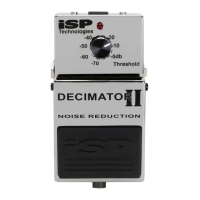

 To Next Page