controls the release response of the Downward Expander. The release response will be
extremely fast, on the order of 2 milliseconds, if the input signal has a fast decaying
envelope and upwards of 2 seconds if the input signal has a slow decaying signal.
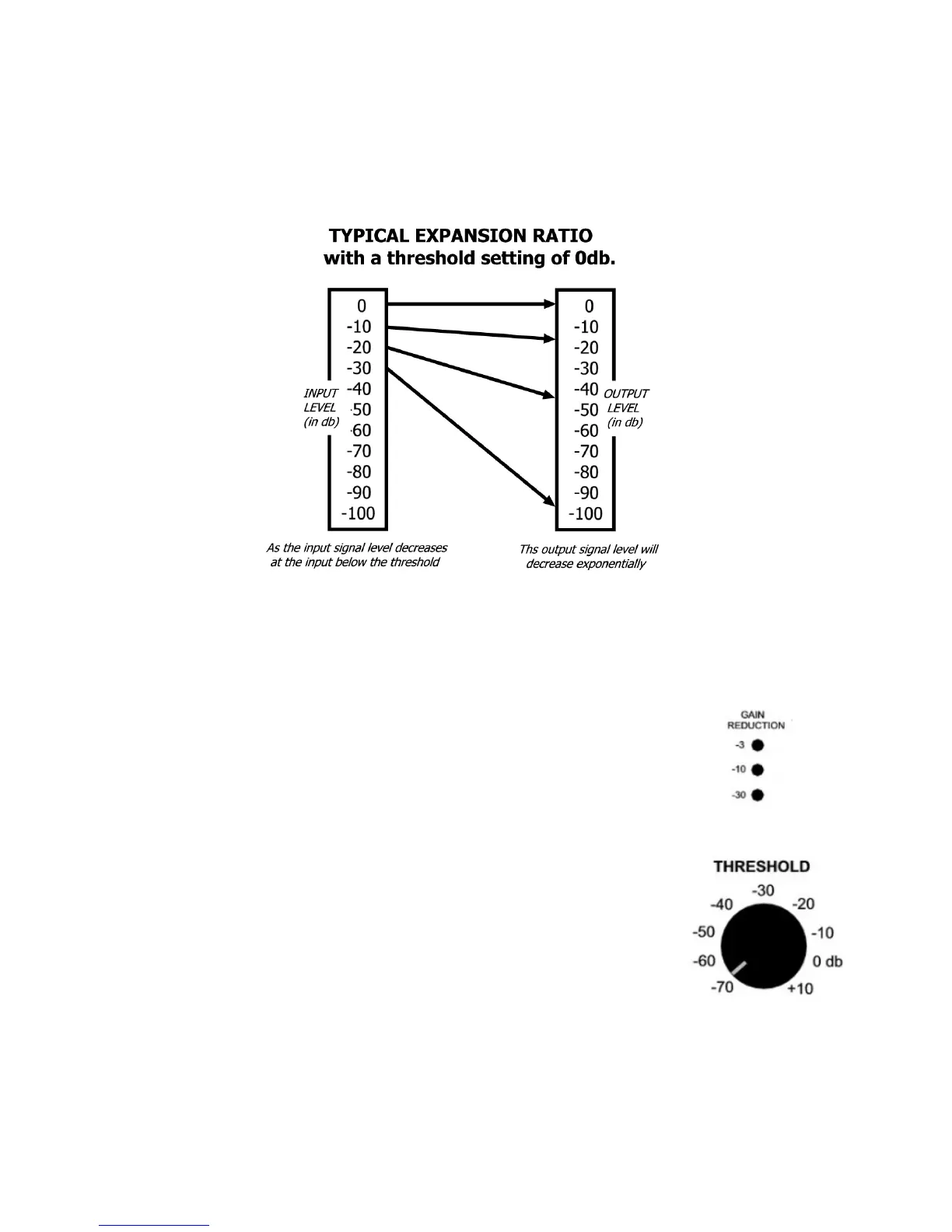
Downward Expansion takes place when the input signal level drops below the preset
threshold. For example: if the threshold is set for 0db and input signal of 0db with
produce no expansion. As the input signal drops below 0db, downward expansion
starts and increases exponentially the farther the input signal drops below the threshold
point. The graph below shows the response of the Expander with a 0db threshold.
To set up the Decimator ProRack G for proper operation first determine the reference
level of the system that the Decimator will be connected to. Most professional products
operate at a +4dbu reference level. Music equipment typically operates at –10dbu.
Once the proper reference level is determined, set the reference level switch on both
channels accordingly. (Note: Both Channel One and Two must be engaged.)
The GAIN REDUCTION meter on each channel indicates the
amount of gain reduction in decibels that the downward
expander is providing at any time.
SETTING THE DECIMATOR THRESHOLD
The THRESHOLD control adjusts both the expander and
dynamic filter sensitivity. Start by setting both the Threshold
and Filter Tracking for minimum, full counterclockwise. Turn
the Threshold control clockwise until the desired effect of the
downward expander is achieved. The expander should start to
operate when there are gaps in the audio or as the input signal
gets close to the noise floor. NOTE: Setting this control to high
will cause the expander to start to cut off the input signal to
soon.


 To Next Page
 Loading...