4-28
CONTROLS AND INSTRUMENTS
CAUTION
The calendar and clock can be set only while the vehicle is stationary.
When setting the calendar or clock, park your vehicle in a safe place where
stopping or parking is permitted and well clear of traffic.
•
Calendar and Clock
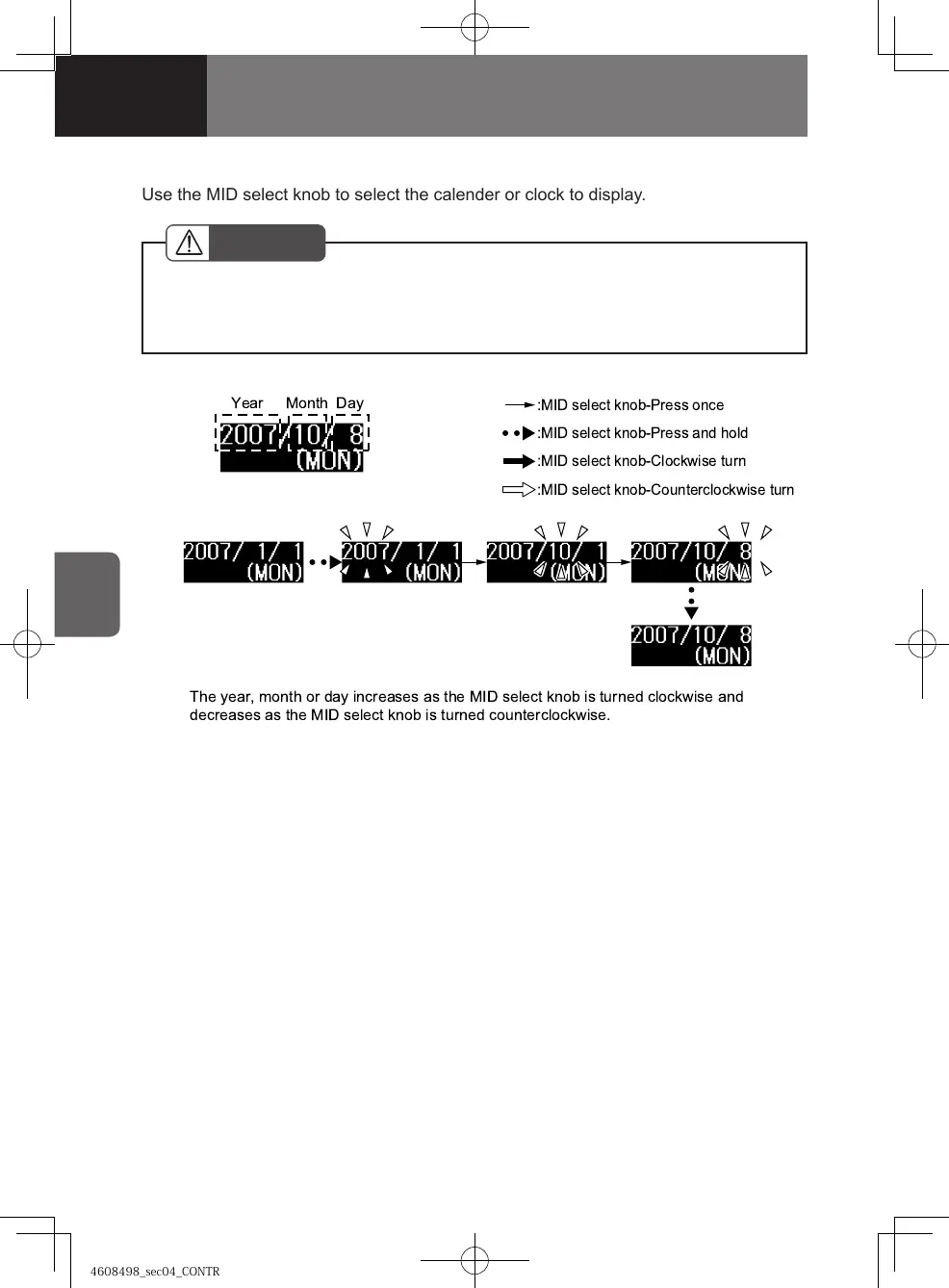
1. Press the MID select knob to select the calendar.
2. Press and hold the MID select knob to enter the clock setting screen.
The year segment starts flashing.
3.
Set the year: Turn the MID select knob clockwise to increase the year and
counterclockwise to decrease the year. If you hold the knob after turning it clockwise
or counterclockwise, the year continues to increase or decrease until the knob is
released.
4. Set the month: While in the year setting screen, press the MID select knob to
switch to the month setting screen. The month segment starts flashing.
5. Turn the MID select knob clockwise to increase the month and counterclockwise
to decrease the month. If you hold the knob after turning it clockwise or
counterclockwise, the month continues to increase or decrease until the knob is
released.
6. Set the day: While in the month setting screen, press the MID select knob to
switch to the day setting mode. The day segment starts flashing.
[Setting the calendar]
!
!"
Year Month Day
Use the MID select knob to select the calender or clock to display.
! "
" ! "
4608498sec04CONTROLSANDINSTR4-284-284608498sec04CONTROLSANDINSTR4-284-28 2015/11/0213:58:392015/11/0213:58:39


 To Next Page
 Loading...