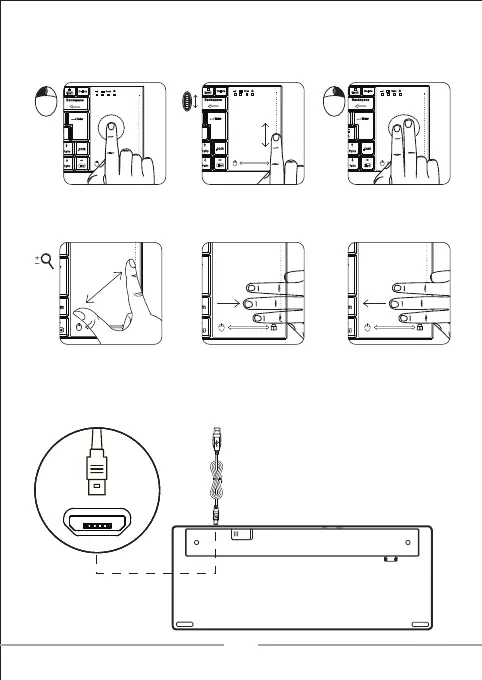
Single-finger clicking on
touchpad like mouse left click.
Single-finger sliding up and
down on the edge of
touchpad like mouse wheel
scrolling.
Two-finger double clicking
on touchpad like mouse
right click.
Two-finger pinching to
zoom in or out
Three-finger sliding to the
right to lock the touchpad.
Three-finger sliding to the
left to unlock the touchpad.
MULTI-TOUCH PAD
CHARGING THE BATTERY
02
Downloaded from www.vandenborre.be


 To Next Page