915/ 965 MOTHER BOARD WITH A 9500 VIDEO CARD GUIDE
915/965 MOTHERBOARD WITH A 9500 VIDEO CARD CONNECTION GUIDE
Golden Tee LIVE™ www.itsgames.com 847.870.7027 8/20/09 2 | Page
©2009 Incredible Technologies, Inc. All Rights Reserved. Non-IT trademarks are the properties of their owners and used for illustration only.
All information herein is Confidential. Unauthorized duplication or disclosure may violate applicable laws or agreements.
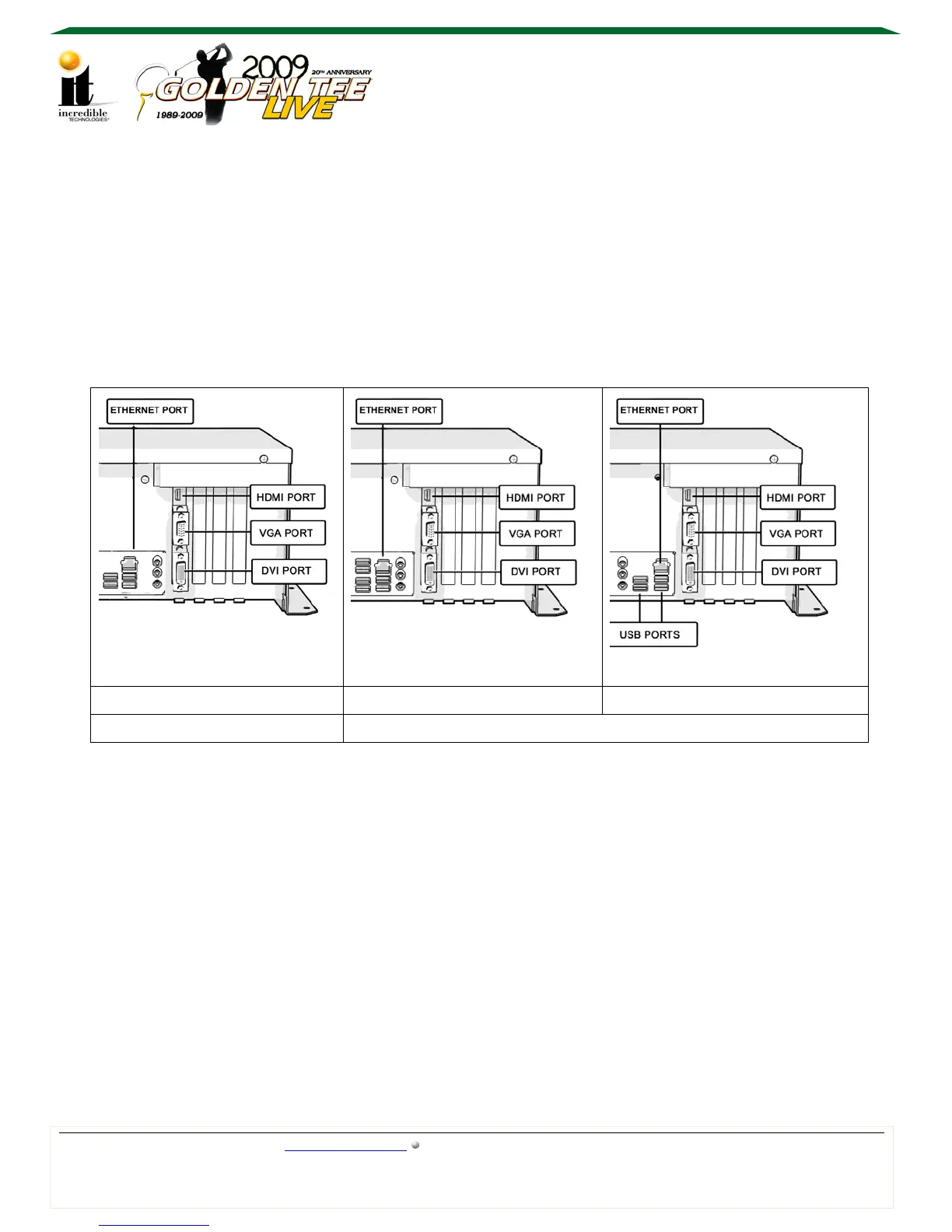
Identifying the Motherboard with a 9500 Video Card
With the box horizontal on a level surface, look closely at the rear right side of the Nighthawk
system box to determine which motherboard and video card combination you have. The location
of the Ethernet port and USB ports is the easiest way to identify the motherboard.
The diagrams below illustrate the differences between the three main types of system boxes
shown with a 9500 video card:
Nighthawk System Box Configuration Table
DG31PR D965 D915
*Updated Configuration Legacy Configuration
If the system box does not have an HDMI port, then it has a 7600 or 6600 video card. A system
box with 2009 courses or higher and a 7600 video card can use the top video port for
component video out. Proper cables and set up are required. The 9500 and 6600 video cards
are not capable of component video.
Once the configuration, and the replacement system box capabilities, are known, use the
appropriate method below to set up connections.
*Audio is possible through HDMI with the DG31PR configuration.



 To Next Page
 Loading...