-4-
4) 3 open the transmitter power, such as transmitter and receiver
to different frequency, the frequency
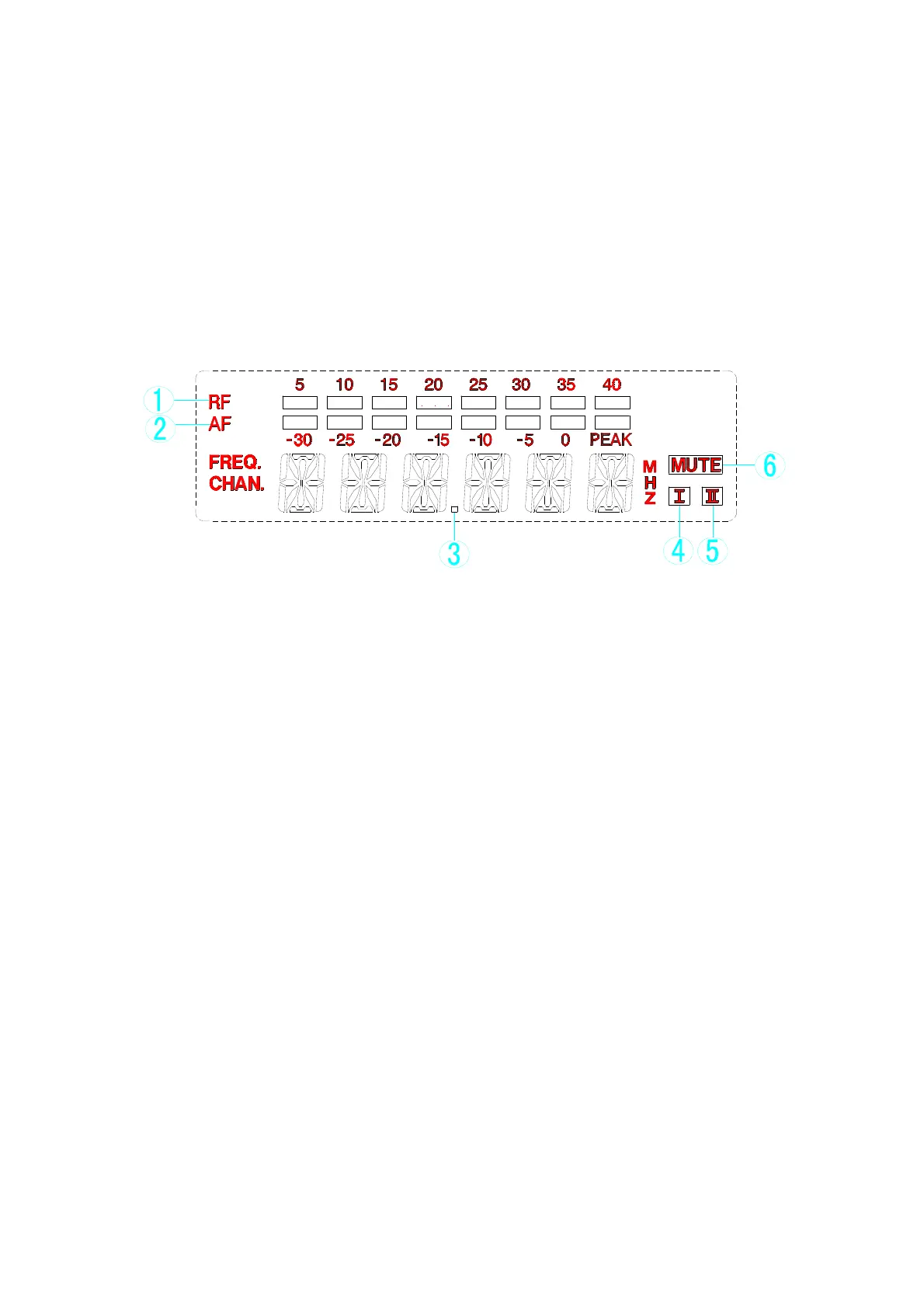
3.Operating instruction of the liquid crystal display panel
(1) LCD full bright display
① 8 RF display: display the received radio frequency signal
strength
②
8 audio level display: display the level of the audio signal
③
Frequency menu display: when FREQ is light, the six
characters displays the current operating frequency
④
Channel menu display: when CHAN is light, it displays the
current working channel
⑤
Six characters display: display working state of frequency,
frequency/channel, noise level or menu content
⑥
MUTE display: When mute is light, then no RF signal is
received
⑦
Channel selection display: Dynamic display of the current
received channel


 To Next Page
 Loading...