EasyManua.ls Logo

iTechworld iTECHBC40 - User Manual

iTechworld iTECHBC40
9 pages
Print Icon
To Next Page IconTo Next Page
Loading...
iTECHBC40
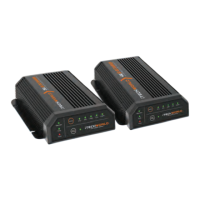
40A Intelligent Lithium Battery Charger
USER GUIDE

Questions and Answers

  • A
    Andrea JohnsonAug 7, 2025
    What to do if my iTechworld iTECHBC40 is not charging the battery?
    • D
      daniel30Aug 7, 2025
      If your iTechworld Battery Charger isn't charging, there might be a few reasons. First, check that the charger is properly connected to a working AC power source and that the fuse is intact. Also, the charger may have overheated, in which case you should let it cool down, ensure that the fan inlets and ventilation slots are not blocked, and move it to a cooler spot. A poor connection between the charger and battery can also be the cause, so inspect that connection. Finally, there may be an output short circuit.
  • W
    William BlackAug 16, 2025
    Why iTechworld Battery Charger is not reaching the float stage?
    • M
      Manuel IngramAug 16, 2025
      If your iTechworld Battery Charger isn't reaching the float stage, it could be due to several reasons. The cable connecting the battery to the charger might be too thin or too long; try shortening the cable, using larger cables, or using the cables supplied with the charger. Another possibility is that the battery itself has a fault, so test the charger with another battery. Lastly, a load constantly drawing power from the battery while the charger is on can prevent it from reaching the float stage; try lowering or disconnecting the load connected to the battery.
  • C
    clarkalexanderAug 27, 2025
    What to do if all lights are illuminated on my iTechworld Battery Charger?
    • L
      Lisa ColemanAug 27, 2025
      If all the lights on your iTechworld Battery Charger are illuminated, it could mean that the connected lithium battery has entered protection mode (safe mode). Check for any short circuits or if the battery has disconnected due to overvoltage, and try draining the battery. It may also indicate a loose or bad connection between the charger and the battery. Ensure all connections are tight and that there are no breaks in the cables.

Summary

SAFETY PRECAUTIONS

User and Environmental Safety

Covers user impairments, children, environmental hazards (fumes, water, dust), and ignition risks.

Operational Safety Warnings

Addresses charger modification, battery compatibility, voltage/current limits, clamp handling, and reverse polarity.

Usage Limitations

Specifies restrictions against using the charger with life support systems.

Introduction

Specifications

Front Panel

Rear Panel

Installation

Mounting the Charger

Guidelines for dry, cool, ventilated, clean locations, and proximity to batteries.

Product Function

Unit Operation

Step-by-step instructions for connecting and operating the battery charger.

Multi-Stage Charging Algorithm

Describes the 3-stage charging process for efficient and long-lasting battery charging.

Stage 3 Float Charge

Details the float charge stage for maintenance and battery longevity.

Charge Stage Indicators

Explains the meaning of LED indicators during different charging stages.

Troubleshooting

Maintenance and Warranty

Maintenance Procedures

Instructions for cleaning and tightening terminals while the charger is off.

Warranty and Policies

Covers product warranty, return/repair policy, and limitations.

Contact Information

Provides iTechworld contact details for support and inquiries.

iTechworld iTECHBC40 Specifications

General IconGeneral
BrandiTechworld
ModeliTECHBC40
CategoryBattery Charger
LanguageEnglish

Related product manuals