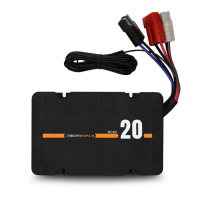
Using twin core wiring between the main starting
battery and iTECHDCDC20 connect the red (+) to the (+)
DC input terminal(Red anderson plug) and the black (-) to
the (-)negative on the rear of the iTECHDCDC20. Finally,
make the power connections to the main starting battery
of the vehicle. It is recommended to install a 30Amp fuse
(not included) on the positive cable between the starting
battery and the iTECHDCDC20. The fuse should be
located as close as possible to the battery.
The optional ignition override cable is used to wire into
the ignition/acc of your vehicle if you have a smart
alternator. This will force DC charge once the ignition is
switched on, lowering the charge cut in voltage to 11.50V
and low voltage cut off to 10.80V.
Check all connections are secure and tight.
INSTALLATION CONTINUED
USER GUIDE


 To Next Page