GETTING STARTED
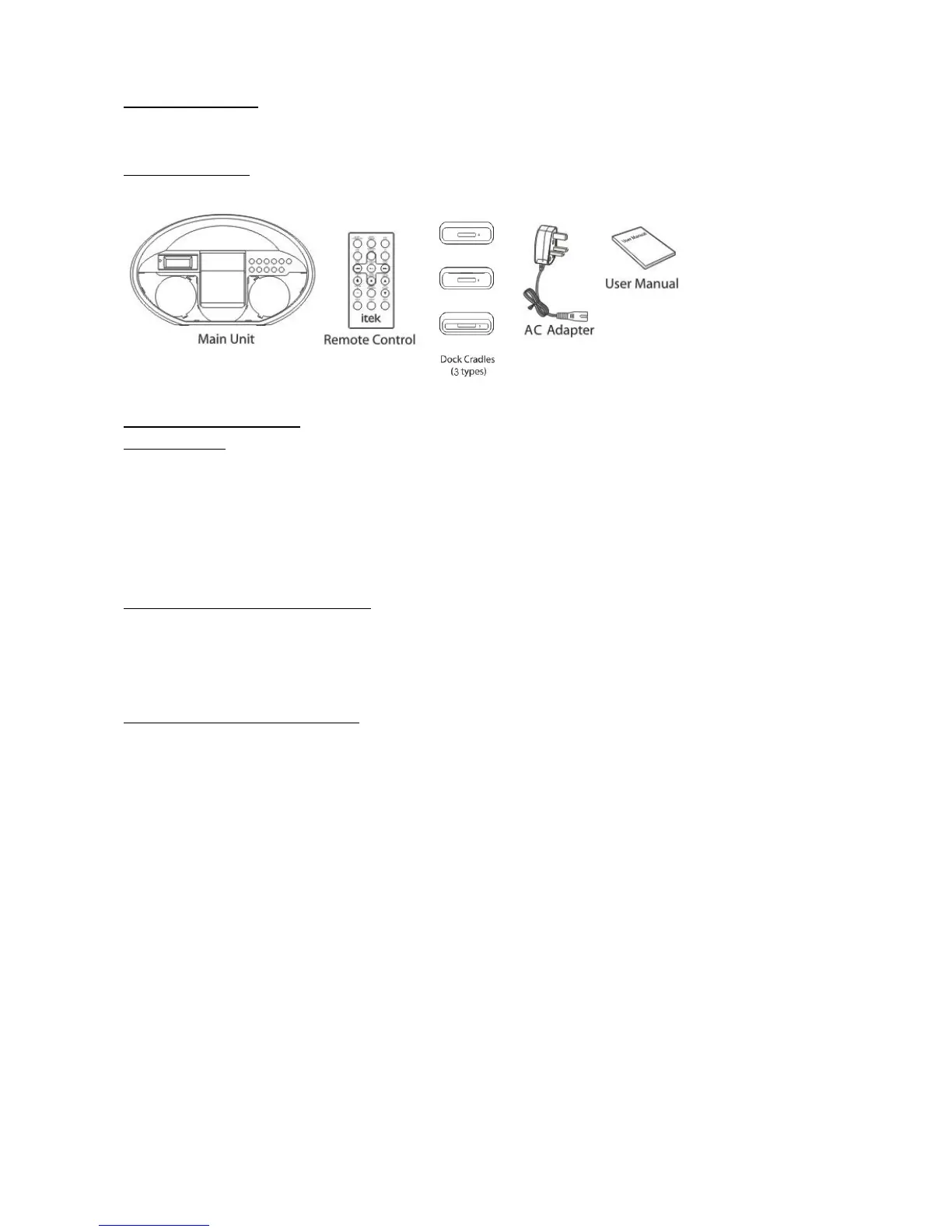
WHAT IS IN THE BOX
Examine the contents of the box for your portable audio system. There should be the follows:
OPERATION OF THE iPod
Tuning the Radio
a. Press the STANDBY button until the unit is turned on.
b. Press the FUNCTION button until the unit is in Radio mode, as indicated by
c. Press the BAND button to select AM or FM radio bands.
d. Press the SKIP/TUNE button to adjust the radio frequency.
Saving a Radio Frequency to the Memory
a. Tune the radio to the station you want to save.
b. Press the PROGRAM button, and then select a preset number by pressing the MEM+ button.
c. Press the PROGRAM button to save the current station to the selected memory slot.
Connecting other Digital Audio Devices
a. Connect an audio device to the AUX IN jack.
b. Press the FUNCTION button to set the unit to AUX mode, as indicated by the LCD Display.
c. The audio device will now play through the speakers of the player.



 To Next Page