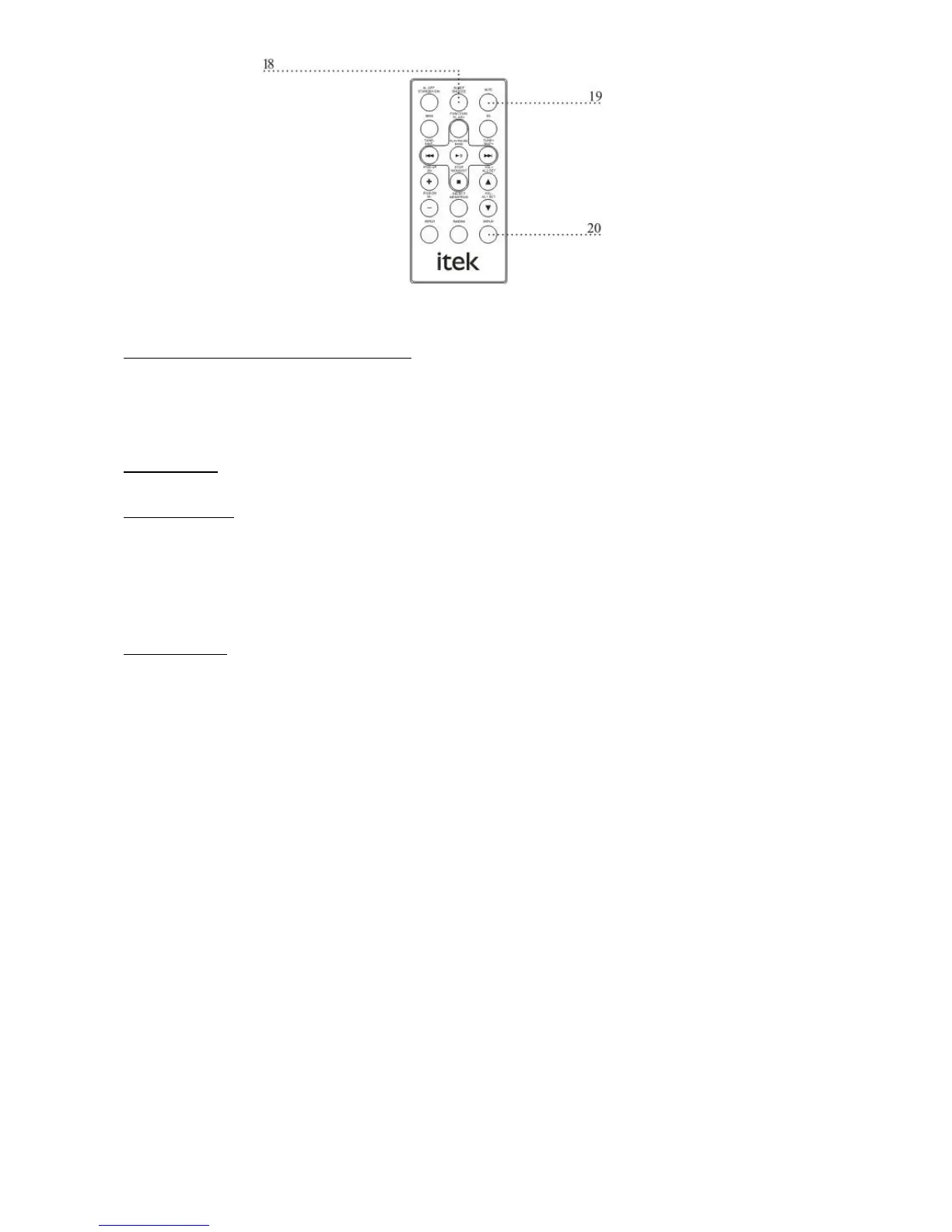
REMOTE CONTROL FEATURES DEFINED.
18. SNOOZE after the alarm sounds; press the SNOOZE button to delay the alarm for 10 minutes.
19. MUTE Press the mute button to decrease the volume entirely.
20. DISPLAY Press the DISPLAY button to view the clock on the LCD display.
OPERATIONS
Setting the Clock
a. Press the STANDBY button until the unit is in standby mode.
b. Press the CL.ADJ. Button .The time will begin to blink. (OFF MODEL)
c. Press the SKIP- and SKIP+ button to adjust the hour and minute. (OFF MODEL)
d. Press the CL.ADJ. Button to set the adjusted time.(OFF MODEL)
Setting the Alarm
a. Press the STANDBY button until the unit is in standby mode.
b. Press the CL.ADJ. Button 3 Times. The time will begin to blink. (OFF MODEL)
c. Press the FUNCTION button to select, RADIO, AUX, or IPOD. (OFF MODEL)



 To Next Page