7
Wireless Audio Chat:
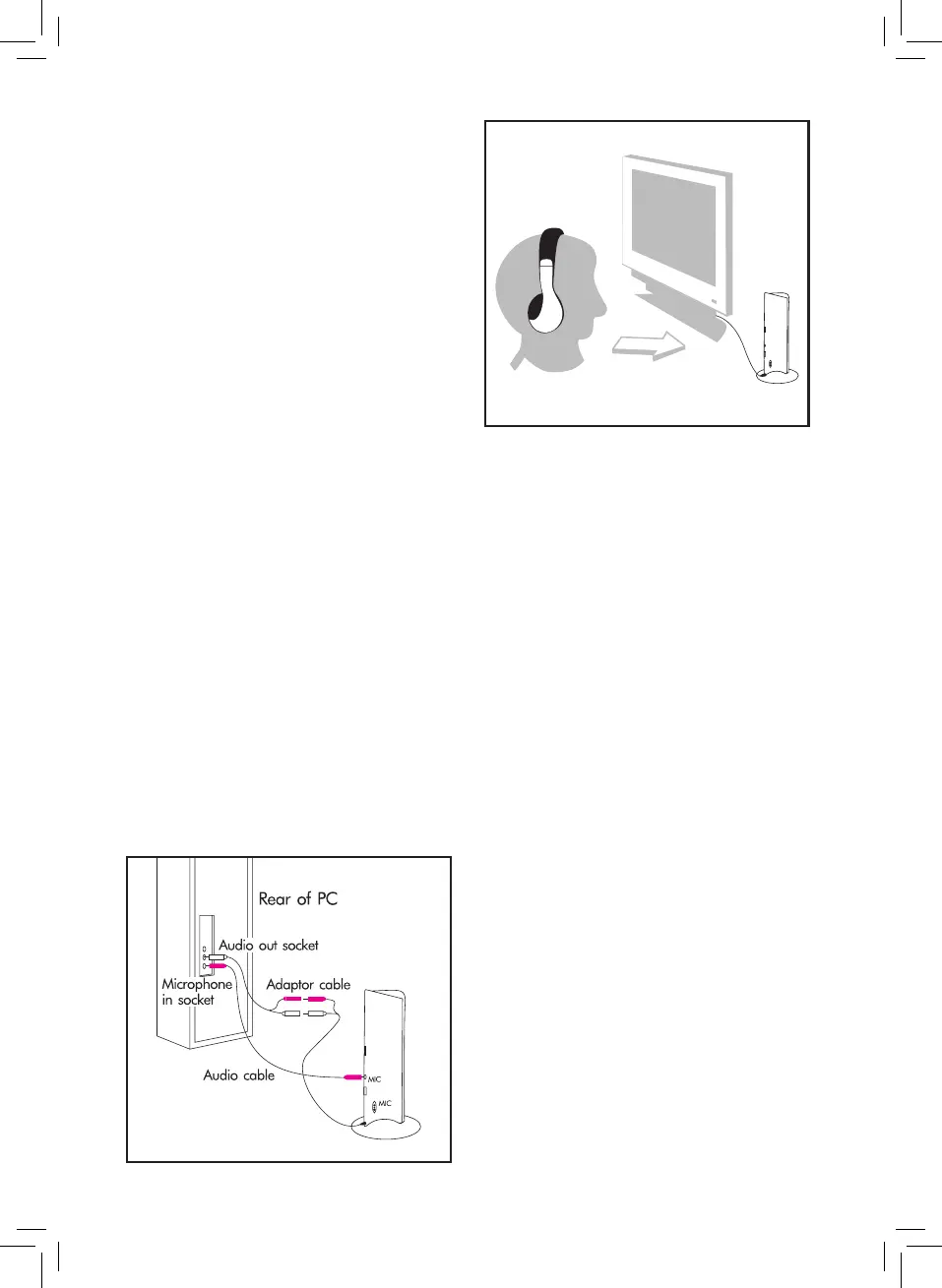
1. Connect the Aux connectors of the
included Female RCA to Aux cable to the
Audio socket of your computer/laptop/
tablet.
2. Connect the RCA connections from
the xed RCA cable attached to the
transmitter to the Female RCA to Aux
Cable outputs. Ensure the red and white
connections are attached to each other.
3. To connect the microphone, use the Aux
– Aux Cable. Insert one end into the mic
socket on the transmitter, and insert the
other end into the mic socket on your
computer/laptop/tablet.
4. Aim the microphone of the transmitter
towards yourself (g. 3) and move the
function switch on the transmitter to the
Audio Chat position.
• The power indicator on the transmitter will
illuminate.
• Turn the Power control on the
headphones to the On position.
• Press the RESET button and then the
SCAN button. The sound sent from the
transmitter will be heard.
Wireless Monitor:
1. Place the transmitter in the room you
wish to monitor, aiming the microphone
outwards into the room.
2. Move the function switch on the
transmitter to the Monitor position.
3. Turn the Power control on the
headphones to the On position.
4. Press the Reset button followed by the
Scan button.
5. The sound from the transmitter will now
be heard.
Radio:
The headphones can be used as an FM radio.
1. Press the Scan button once and the
headphones will automatically search for
and lock onto a radio channel.
2. When the highest range is reached, press
the Reset button and the radio frequency
will return to the lowest range.
3. Press the Scan button again and the
headphones will search the radio
channels, starting from the lowest range.
FIG.3
FIG.2


 To Next Page
 Loading...