8
CUSTOMER SUPPORT TEAM: +44 (0) 333 220 6058
Using the skip/search function:
• The skip/search function can be used at
any time when playing a CD.
• Press the Next button (15) to select the
next track. Note: If the CD is on the last
track, playback will begin from the rst
track.
• To go back to the beginning of the current
track press the Back button (13) once.
• To go back to the previous track on your
playlist, press the Back button (13) twice.
• If you want to play a particular track
press the Next Button (15) until the track
number is shown in the LED display and
then press the Play/Pause button.
To program track selection:
• Make sure there is a CD in the CD tray
before programming a track.
• Short press the program button. The
numbers ‘01’ will ash on the LED screen
to indicate the program function has been
activated and the unit is ready for your
rst selection.
• Press the Next or Back button to choose
the track you want to save in position
01. Once you have selected your desired
track, press the program button again to
save your selection. The numbers ‘02’
will appear on the LED screen to indicate
the track in position 01 has been saved
and the unit is now ready for your next
selection. Repeat the above process to
save up to a maximum of 20 tracks.
• When you have made your selection press
the Play/Pause Button (16). The program
LED will light up and your rst selection
will start to play.
• Playback will automatically stop once
your last programmed selection has been
played.
• To cancel this function, press the Stop
button (17) at any time and open the CD
door (18).
• To repeat a track, press the Play/Pause
button to play your rst track, and then
press the Repeat button (14) once for a
particular track or twice to repeat an entire
selection.
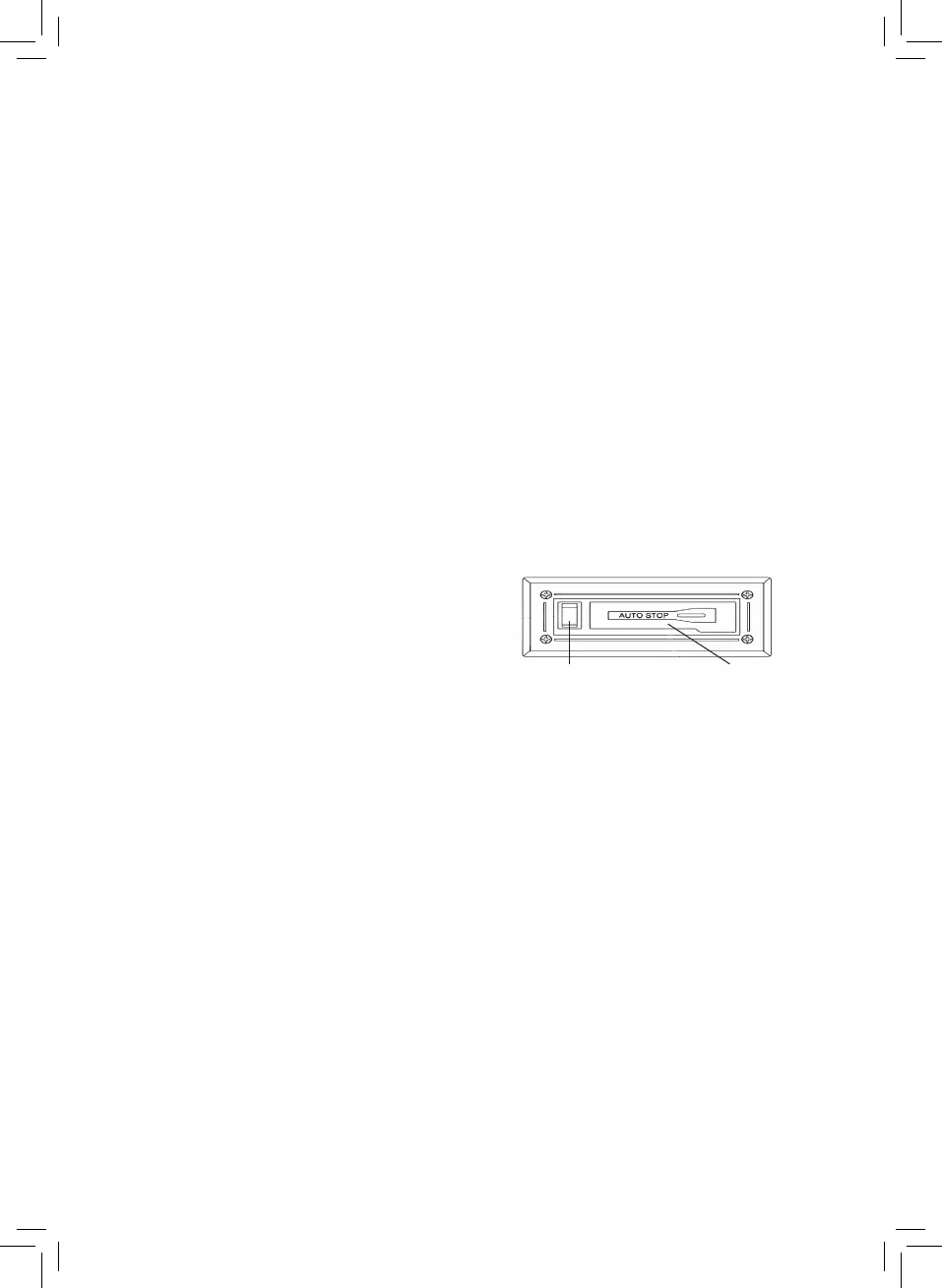
Using the cassette player:
• Turn the function knob (1) to cassette.
• Put a cassette tape into the slot (22) and it
will start to play.
• To fast forward the tape gently press the
Fast Forward / Eject button (21) until it
reaches the rst position.
• To eject the tape, rmly press the Fast
Forward / Eject (21) button.
• Playback will automatically stop when the
tape reaches its end.
Fast Forward/Eject Cassette Slot


 To Next Page
 Loading...