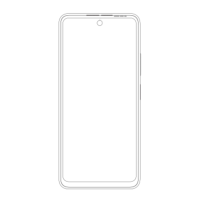
1.1 Press and hold the power button until the
display lights up to turn on the device.
1.2 To turn off the device, press and hold the
power button.
2.Install SIM Card and Memory Card
2.1 SIM Card
Before using the phone, you must insert valid SIM
(Subscriber Identity Module) card in the phone.
SIM card is provided by network supplier.
In order to avoid losing or damaging the
information saves in SIM card, please don’t
touch the metal contact surface, and place SIM
card in the place that away from electricity and
magnetic force. Once SIM card is damaged,
you can’t use the phone normally.
Prompt: Please make sure to power off the
phone before taking out SIM card. It is absolutely
forbidden to insert or take out SIM card with
external power supply; otherwise it may damage
SIM card and the phone.
2.2 Memory Card
Due to the limited size of mobile phone storage,
we recommend that you insert an external
memory card. You will be able to better
experience the camera, video, music, recording
and other functions.
Prompt: If the memory card is failed, please
check whether it is correctly placed and good
contact of metal point.



 To Next Page