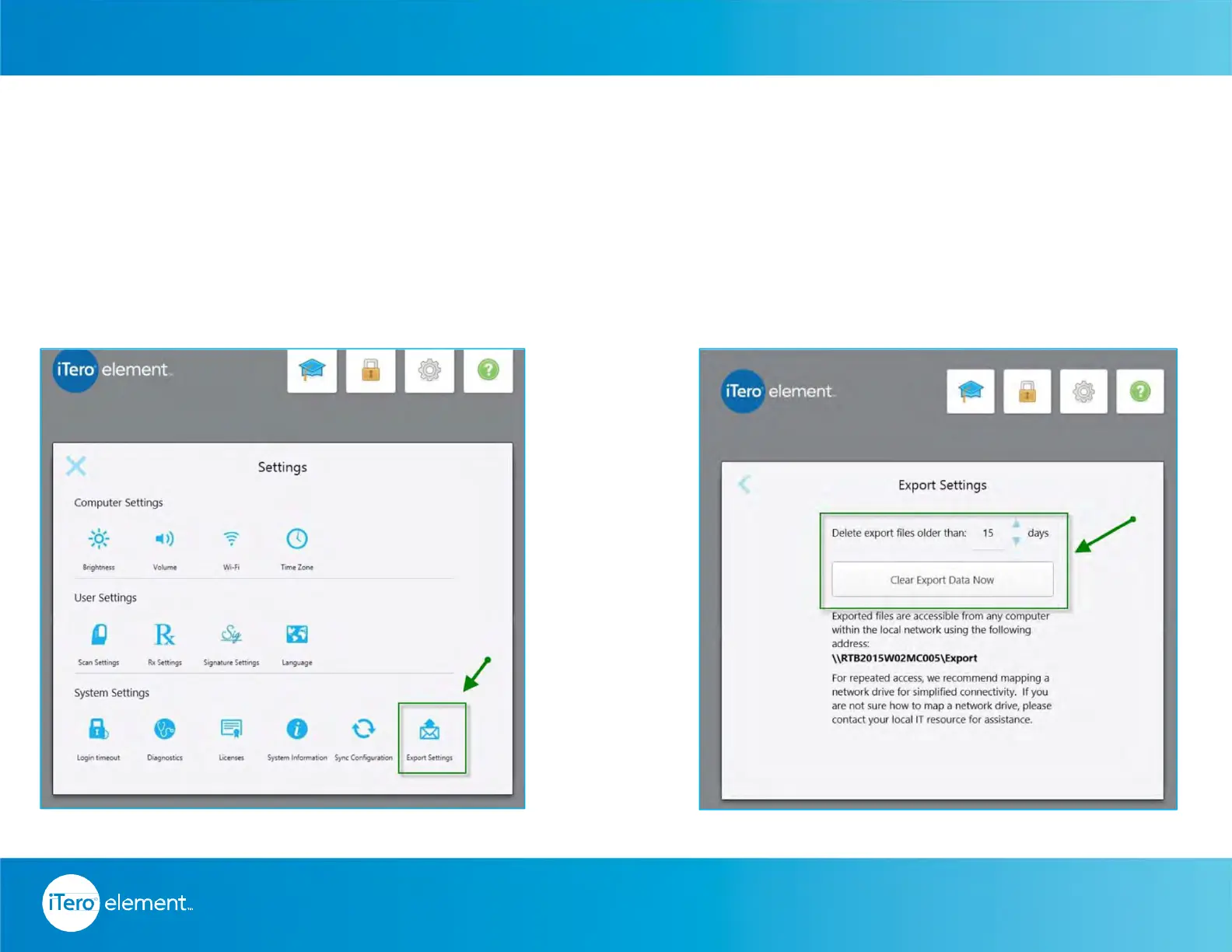
Chairside Milling – Export Settings
Configure your network to download the files on the chairside milling software.
• Establishing connectivity between the milling unit and the scanner
• Customize the export settings: on the scanner, select the saving options
• Modify the number of days the file stays on the folder or manually delete all cases from the folder
© 2016 Align Technology, Inc. All Rights Reserved.
Resources
Export Settings
icon is active
61



 To Next Page