4.4 Sub-Account Management
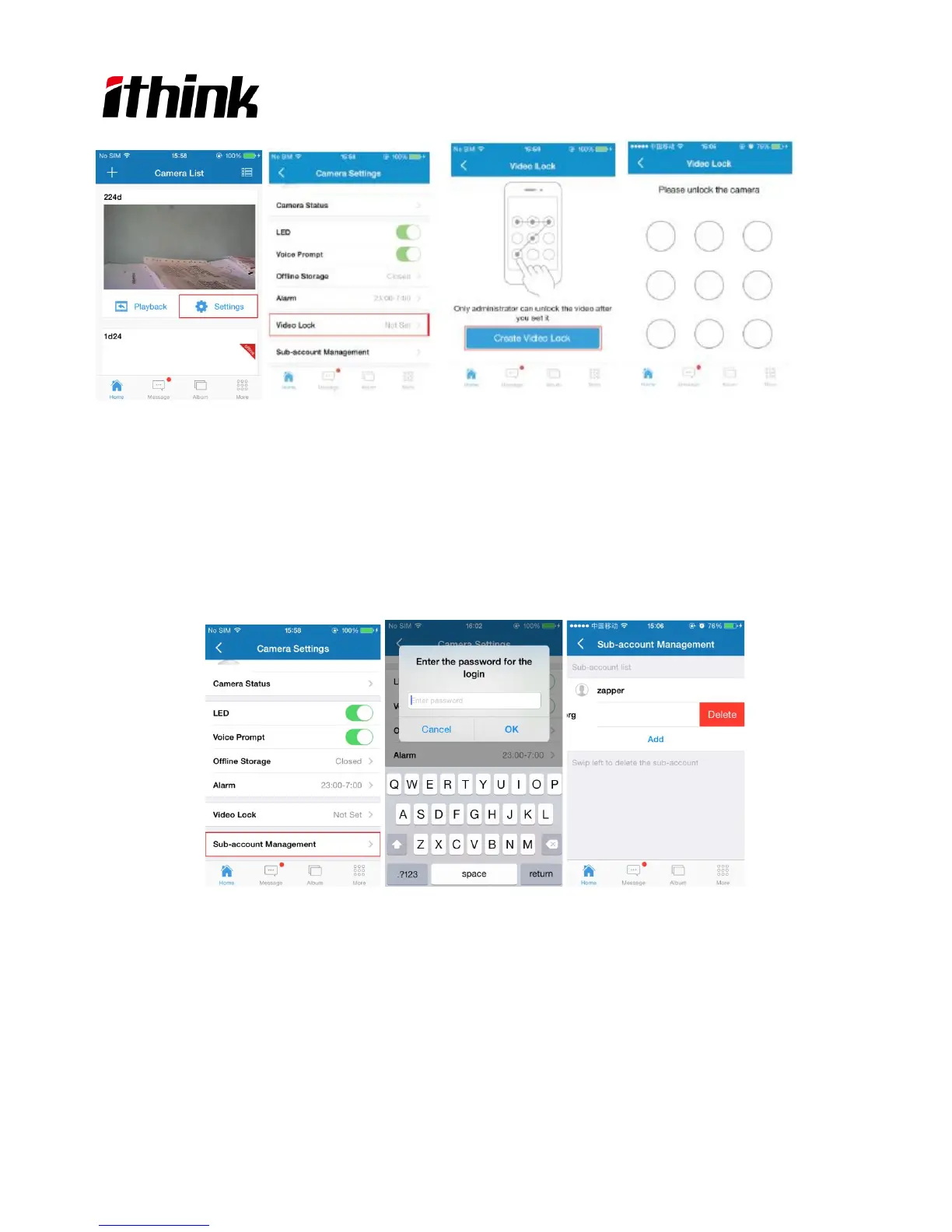
Each camera can support up to 15 accounts (including the Administrator account). Administrator can add and delete
sub-account using “Sub-Account Management” function from the Camera Settings screen. Please refer the photo as
below.
New sub-account can be setup by clicking on the “Add” button.
Existing sub-accounts can be deleted by swiping left on screen the sub-account that you want to delete ,then“Delete”
it.
4.5 Snapshot Share
Our camera provides Snapshot sharing function,the user can share any snapshot photos to Facebook, Twitter, SMS
and so on.1.)Press the camera icon on the video, and snapshot the photo you like;2.)then go to main page, press
8



 To Next Page