Clean the vacuum inlet lid
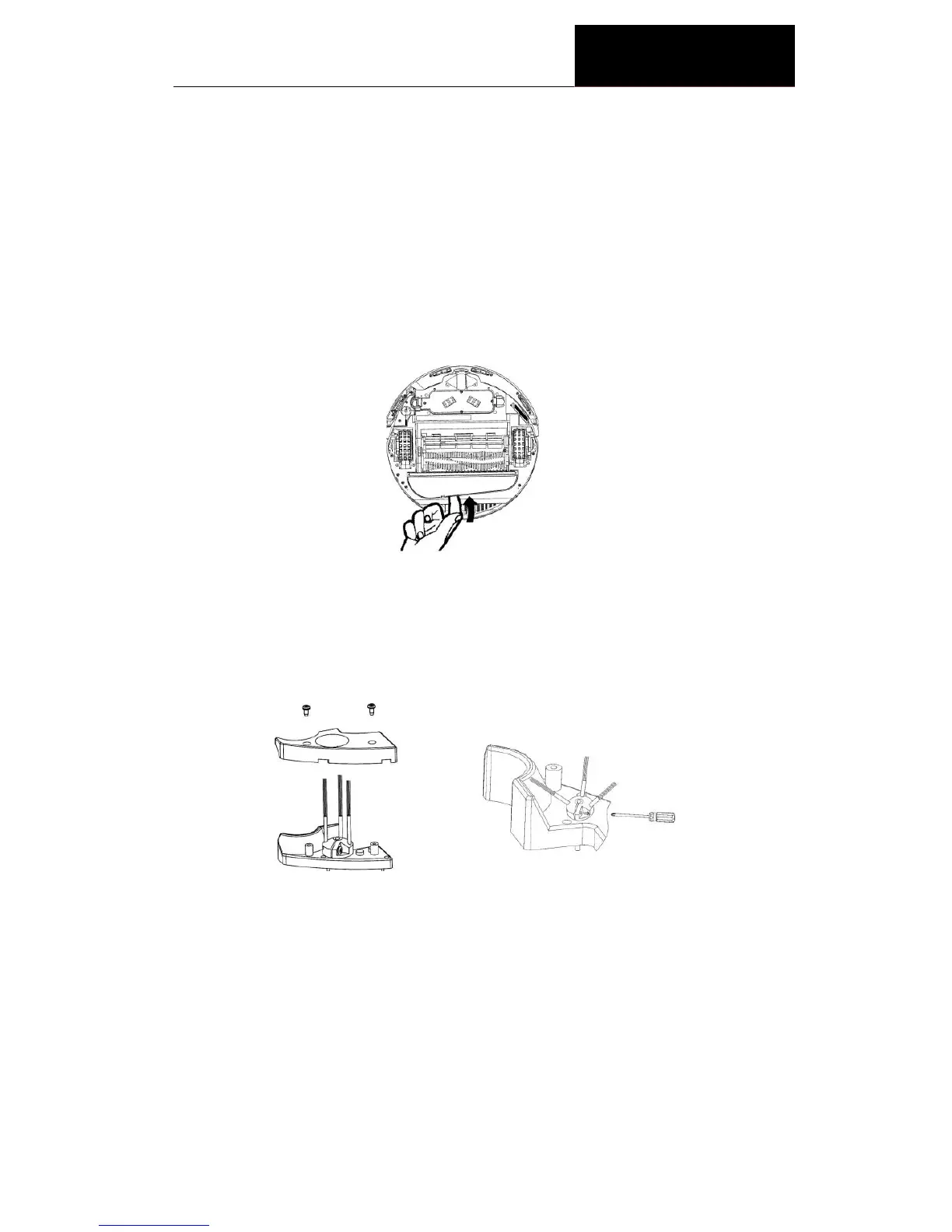
Method for replacement of side brush
The side brush is replaceable. See the following picture for the
replacement method.
1. Remove the two screws as per the Fig.1.
2. Turn the side brush to the extent that the screwdriver can be inserted
as per the Fig.2, loosen the screw, take off the old brush and replace
with new one.
3. Install the side brush and bottom housing in reverse order.
1. Turn off the power switch; turn the Cleaner upside down on a flat
surface.
2. Take the Vacuum Inlet Lid out as per the illustration below.
3. Clean the Vacuum Inlet Lid and the fan-shaped mechanism to ensure
good ventilation.
4. Guide the hinge tabs on the Vacuum Inlet Lid back into their holes
carefully.


 To Next Page