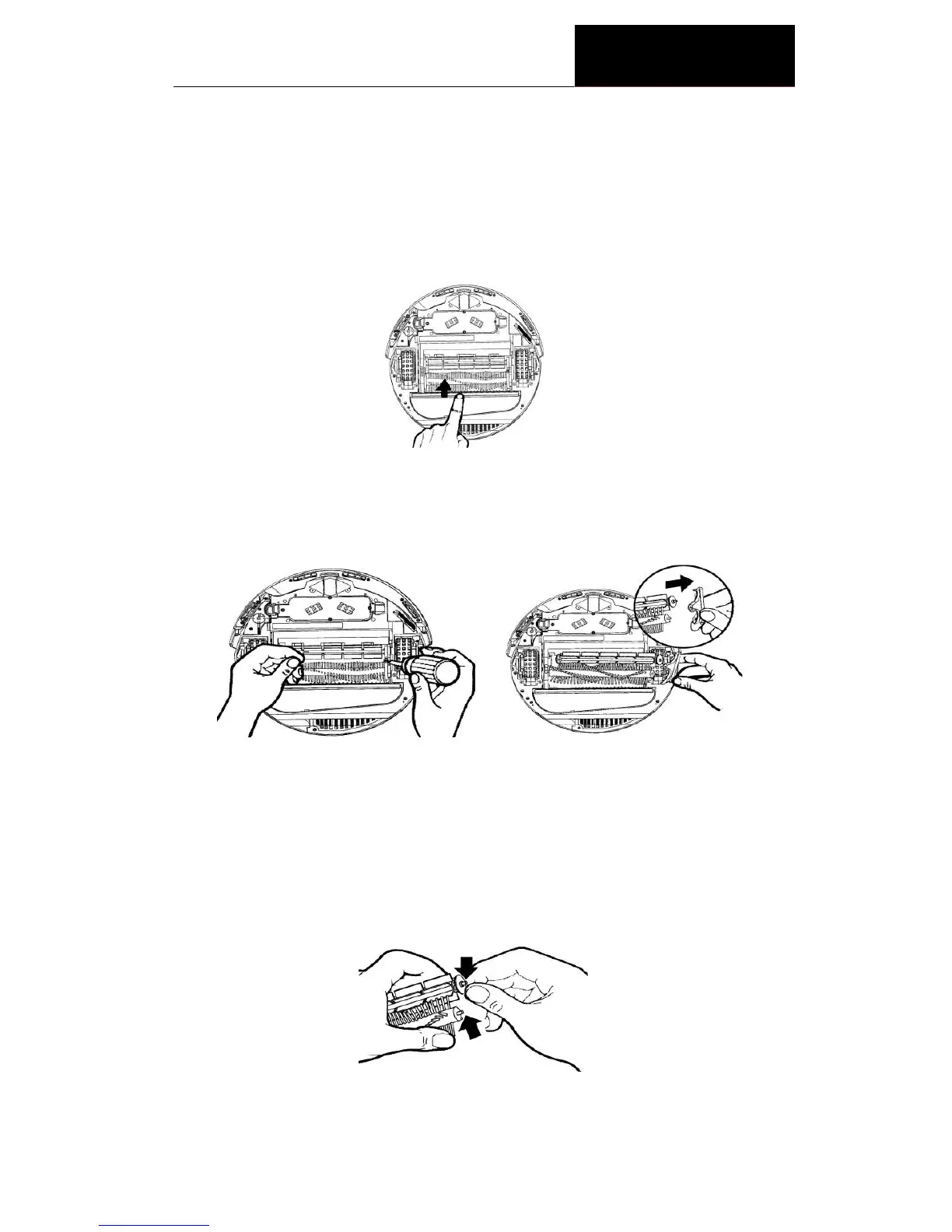
Clean the main brushes of the Cleaner
1. Turn off the power switch and put the Cleaner on a flat surface with its
bottom side up.
2. Use cross head screwdriver to remove the fixing screw on the right, and
then take out the main brush, rubber brush and brush coupler together
as shown in the following drawing.
3. Clean the chamber where the brush is located as well as the debris on
brush and rubber brush.
4. Wipe out dirt on the metal shaft and bearing of the brush coupler and
the brushes (this may not be necessary after every use) as per the
following illustrations. If necessary, you may add a little lubricant to it.
5. Put the brush coupler and brushes back and tighten the screw.


 To Next Page