EasyManua.ls Logo

ITW Gema OptiFlex B - User Manual

Default Icon
37 pages
Print Icon
To Next Page IconTo Next Page
Loading...
En
Operating instructions and spare parts list
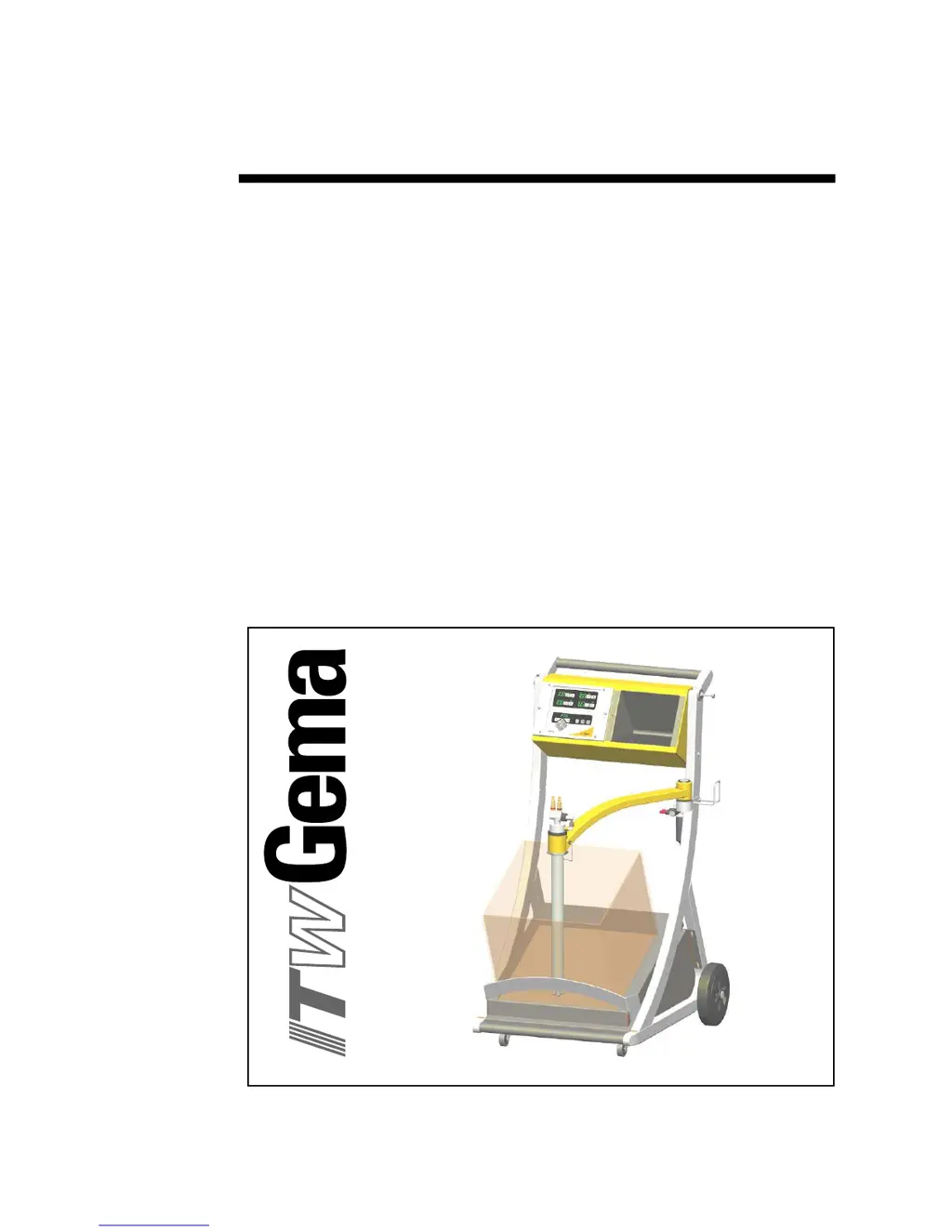
OptiFlex B
Manual coating equipment
Translation of the original operating instructions

Table of Contents

Questions and Answers

Summary

General Safety Regulations

Safety Symbols (Pictograms)

Warnings with meanings found in ITW Gema operating instructions.

Conformity of Use

Equipment built to latest specs for powder coating; other uses are non-conform.

Technical Safety Regulations for Stationary Electrostatic Powder Spraying Equipment

Safety for electrostatic powder spraying equipment, must be read before use.

Safety Conscious Working

All personnel must understand instructions; operator must ensure training.

Individual Safety Regulations for Operating Personnel

Avoid methods negatively impacting safety; no unauthorized personnel.

Notes on Special Types of Hazard

Hazards related to power, powder, static charges, and grounding.

Safety Requirements for Electrostatic Powder Coating

Dangerous if manual not followed; conductive parts must be earthed; floor and footwear requirements.

Summary of Rules and Regulations

Lists relevant rules and regulations to be observed.

Regulatory Guidelines and Standards

German Professional Association Guidelines

Lists relevant German professional association guidelines and their applicability.

EN European Standards

Lists relevant EN European standards and their descriptions.

VDE Regulations

Lists relevant VDE regulations and their descriptions.

About this manual

General information

Manual contains important info for OptiFlex B, guides start-up, provides tips.

Function Description

Field of Application

Equipment for electrostatic coating with organic powders; suited for small series.

Typical Characteristics

Processes powder from container, total emptying, quick color change, ready for use.

Structure

Diagram showing OptiFlex B components and their labels.

OptiStar Control Unit

Information found in corresponding enclosed manual for the control unit.

OptiFlow Injector

Information found in corresponding enclosed manual for the injector.

Scope of Delivery

Lists components included for OptiFlex B-1 and additional supply for B-2.

OptiFlex B-1

Lists the components included in the OptiFlex B-1 package.

Additional Supply for OptiFlex B-2

Lists the additional components for the OptiFlex B-2 package.

Technical Data

Electrical Data

Nominal input voltage, frequency, input value, output voltage/current, protection type, approvals.

Pneumatical Data

Compressed air connection, input pressure, water/oil vapor content, consumption.

Connectable Guns

Lists compatible gun models for the equipment.

Dimensions

Width, depth, height, and weight of the equipment.

Start-up and Operation

Connecting Guide

Step-by-step instructions for connecting hoses, cables, and power.

Preparation for Start-up

Steps for preparing the powder container and switching on the booth.

Preparing the Powder Container

Swivel unit, place container, place unit onto powder.

Switching on the Booth

Booth is switched on according to its user manual.

Switch on the Control Unit

Press power switch ON; displays illuminate.

Color Change

General Information

Components must be cleaned during color change to remove former color particles.

Procedure

Steps for cleaning fluidizing/suction unit, powder hose, gun, and injector.

Maintenance and Cleaning

Daily Maintenance

Cleaning injector, powder gun, and powder hose.

Weekly Maintenance

Cleaning units and checking grounding connections.

If in Disuse for Several Days

Disconnecting plug, cleaning equipment, turning off air.

Powder Hose Rinsing

Procedure for cleaning powder hose during lengthy downtimes.

Cleaning the Fluidizing;Suction Unit

Steps for removing, cleaning, and reassembling the unit.

Cleaning the OptiSelect Manual Powder Gun

Daily and weekly cleaning procedures for the powder gun.

Maintenance and Cleaning of the Filter Unit

Explains filter unit function and how to replace the filter element.

Replacing the Filter Element

Procedure for unscrewing, removing, and replacing the filter element.

Troubleshooting Guide

Schematic Diagrams

Block Diagram - OptiFlex B

Diagram illustrating the OptiStar CG07 control unit components and connections.

Pneumatic Diagram - OptiFlex B

Diagram showing air supply, control unit connections, and fluidizing unit.

Spare Parts List

Ordering Spare Parts

Instructions on how to order spare parts, including required specifications.

OptiFlex B Manual Coating Equipment - Spare Parts List

List of spare parts with item numbers and descriptions.

OptiFlex B - Fluidizing;Suction Unit

OptiFlex B - Fluidizing;Suction Unit Spare Parts

List of spare parts for the fluidizing/suction unit with item numbers.

OptiFlex B - Filter Unit

OptiFlex B - Filter Unit Spare Parts

List of spare parts for the filter unit with item numbers.

ITW Gema OptiFlex B Specifications

General IconGeneral
Frequency50/60 Hz
ApplicationPowder Coating
TechnologyElectrostatic
Voltage220-240 V
Weight45 kg