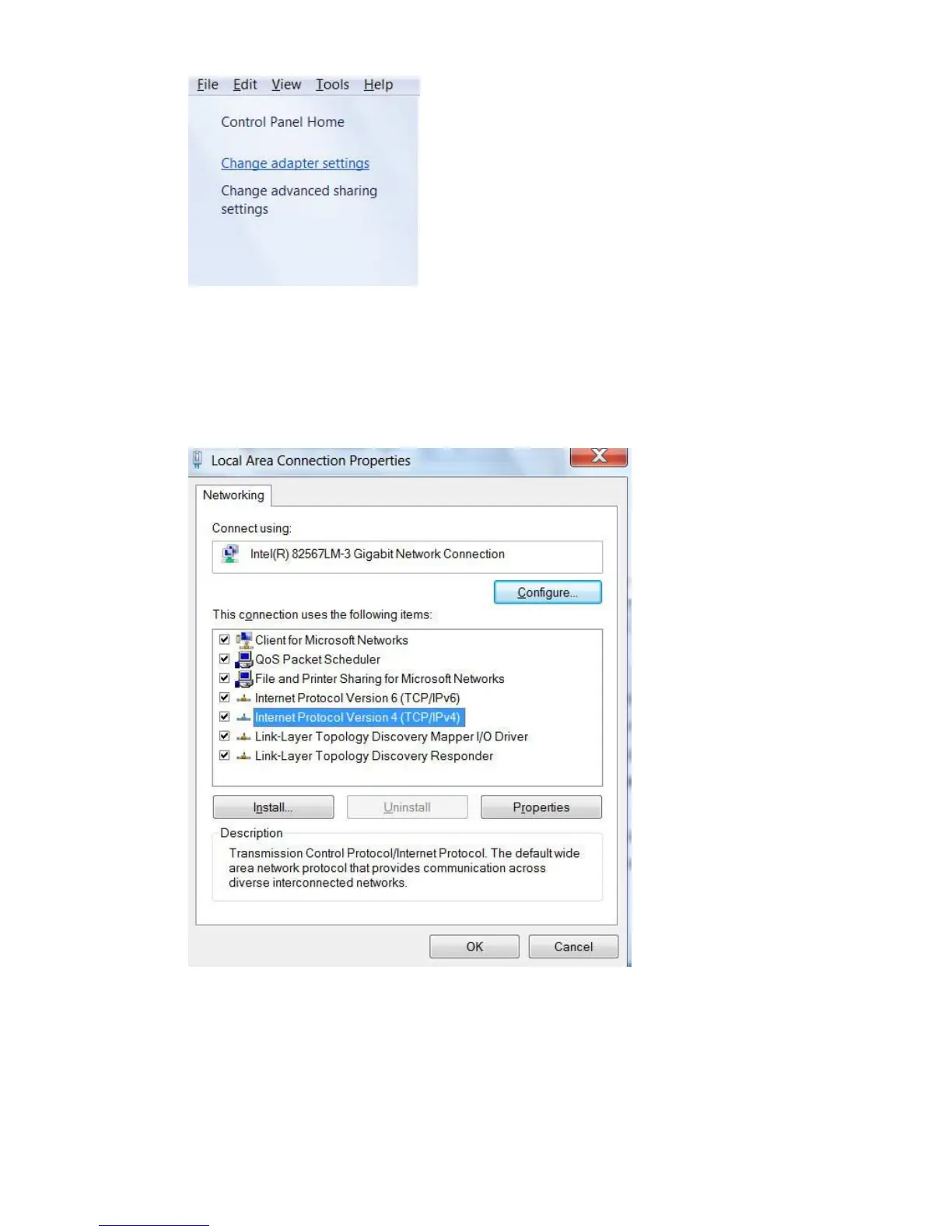
d. Click Change adapter setting on the left portion of the Window.
e. Double click the icon for the Internet connection you are using. Often this will be
labelled with “Local Area Connection” or the name of your ISP. If you have multiple
connections, make sure not to click the one with the red X.
f. Click the Properties button. Click and highlight
Internet Protocol Version 4 (TCP/IPv4)
and then click Properties.


 To Next Page