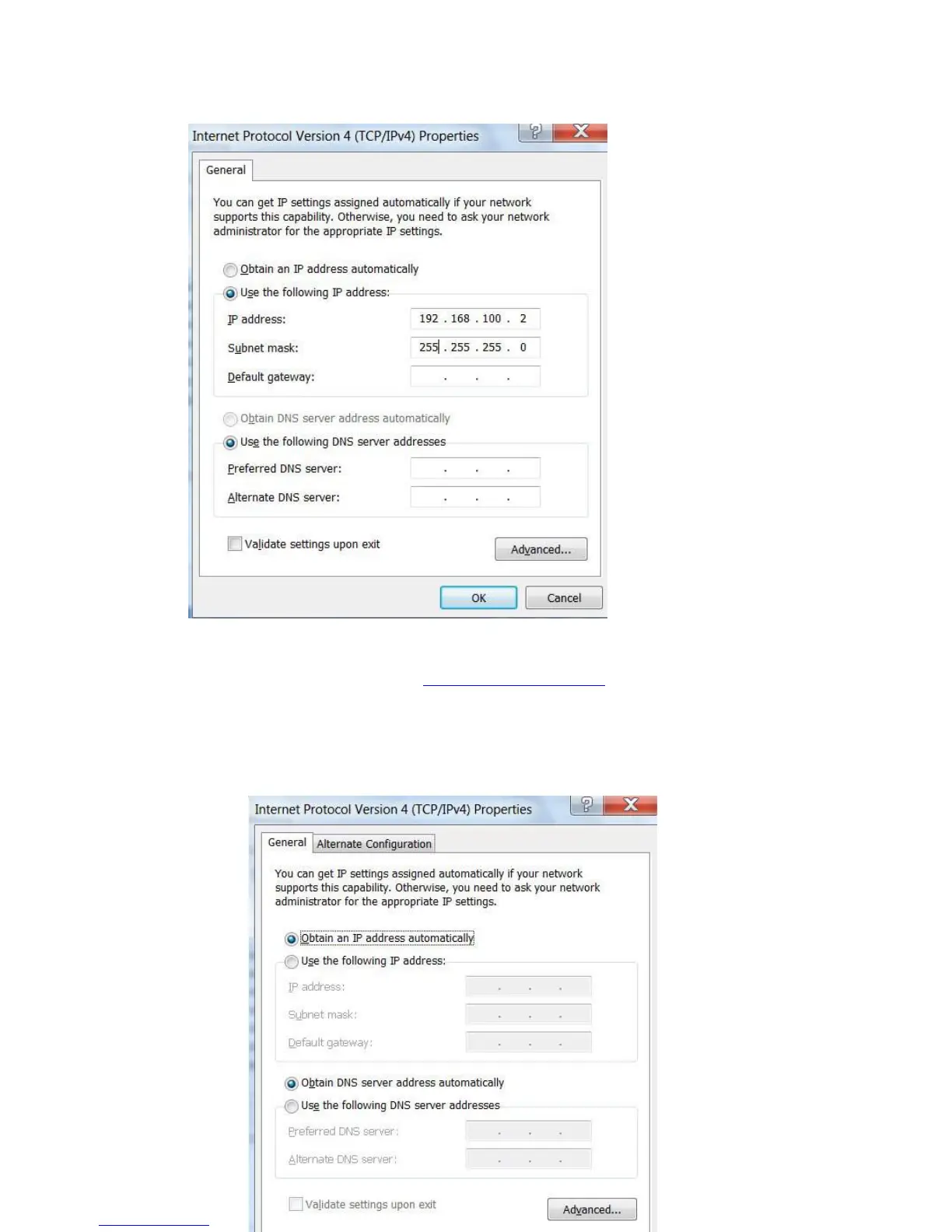
g. Click to select Use the following IP address. Enter the IP address 192.168.100.X where
X could be any number of 2-99. Click a field of Subnet mask, the subnet address should
be created automatically.
h. Click OK to close the Internet Protocol Version 4 (TCP/IPv4) Properties window.
i. Open Internet Explorer and enter http://192.168.100.253
to follow the repeater mode
settings as described in the Repeat mode setting section.
j. After set up close Internet Explorer.
k. Repeat steps c to g above. Click to select
Obtain an IP address automatically. Click OK
and close the windows. The repeater mode should be able to set up.


 To Next Page
 Loading...