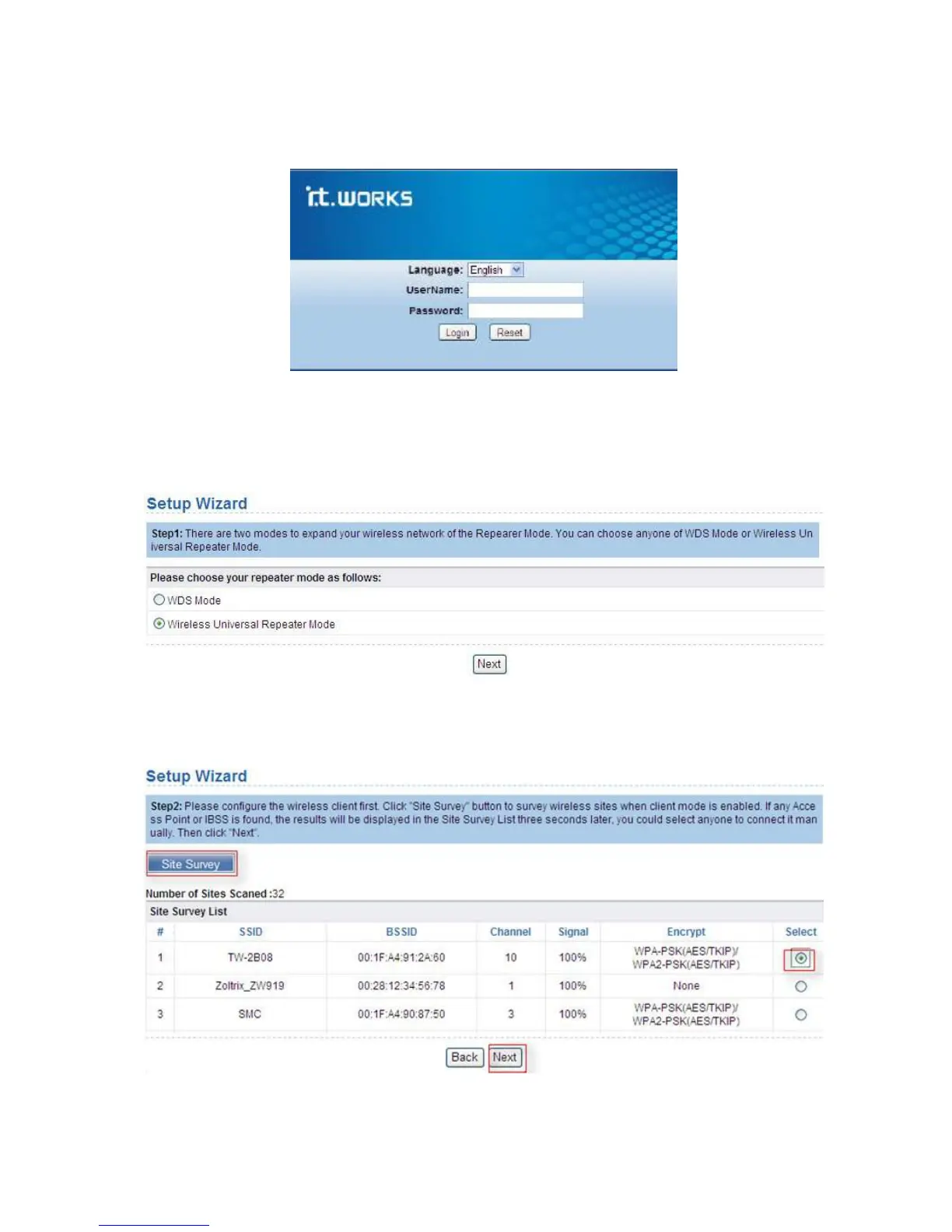
Repeater mode setting
Follows the steps below to configure the repeater.
1. In the login window displayed below, enter the user name and password printed on
the bottom label.
2. Click Loginto enter the configuration page.
3. Click
Setup Wizard in the navigation bar on the left pane of the page, select Wireless
Universal Repeater Mode
and click Next.
4. Click Site Survey to search for the wireless network you want to connect. Select a
desired network and click
Next.


 To Next Page