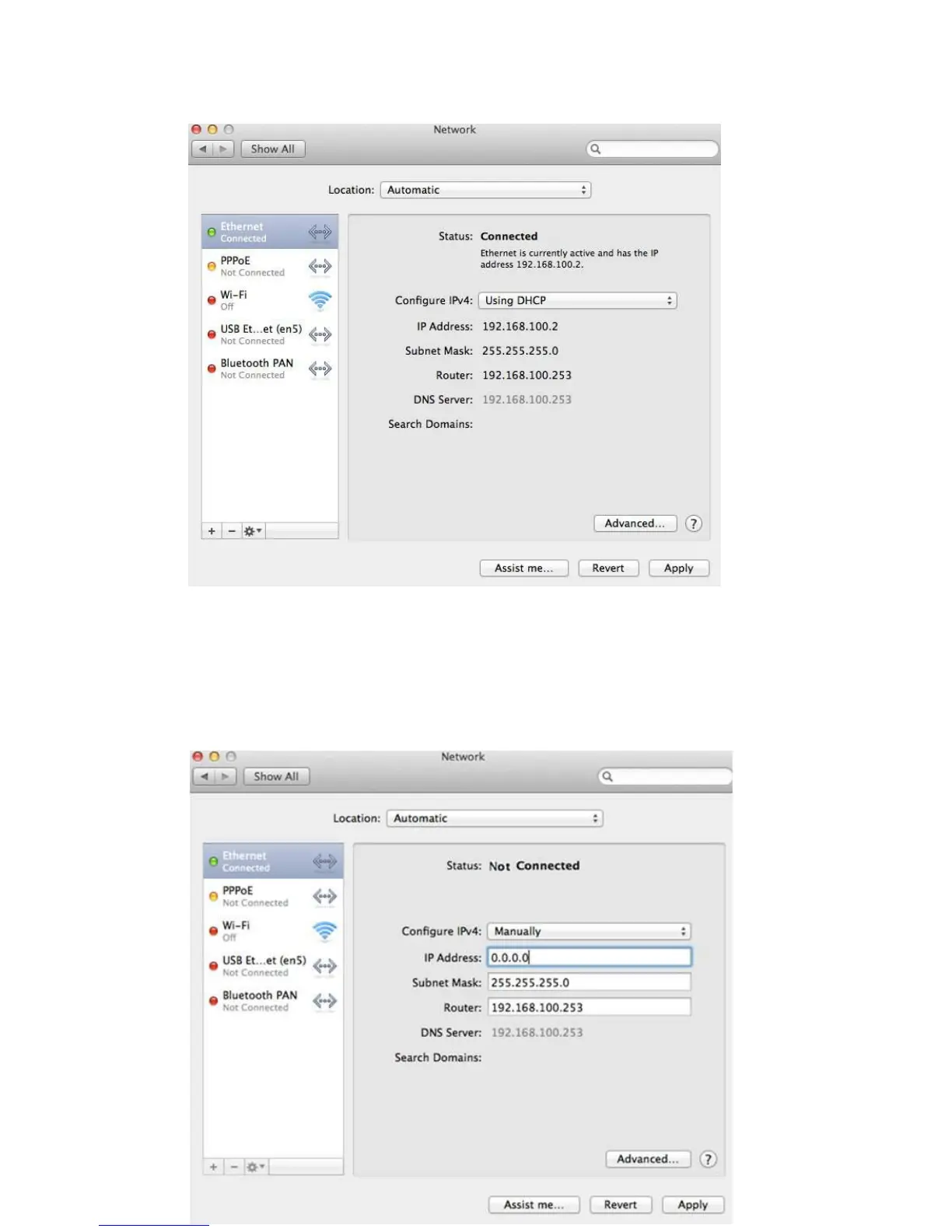
d. Click the Networkicon to launch the Network window.
By default the automatic wired connection is Ethernet DHCP. If DHCP is enabled you can
use this connection without IP address configuration. If DHCP is disabled, you have to
configure the IP address manually.
e. Enter the IP address 192.168.100.X where X could be any number of 2-99.Click a field
of Subnet mask, the subnet address should be created automatically.


 To Next Page