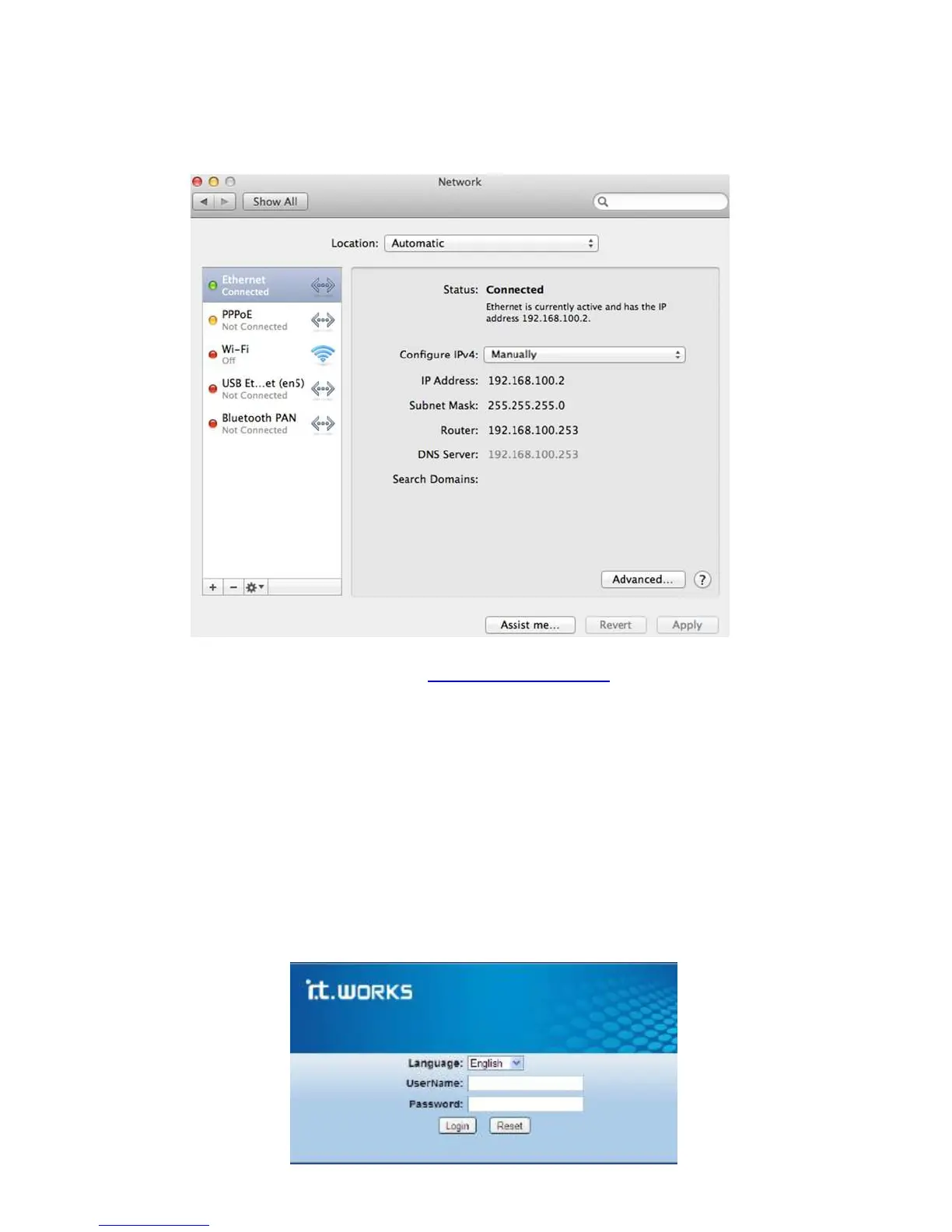
f. Click Apply to finish the configuration.
g. Open Internet Explorer and enter http://192.168.100.253 to follow the repeater mode
settings as described in the Repeat mode setting section.
h. After set up close Internet Explorer.
i. Repeat steps c to e above. In the Configure IPv4 pop-up menu, select Using DHCP. Click
Apply and close the windows. The repeater mode should be able to set up.
Repeater mode setting
Follows the steps below to configure the repeater.
1. In the login window displayed below, enter the username and password printed on
the bottom label.


 To Next Page