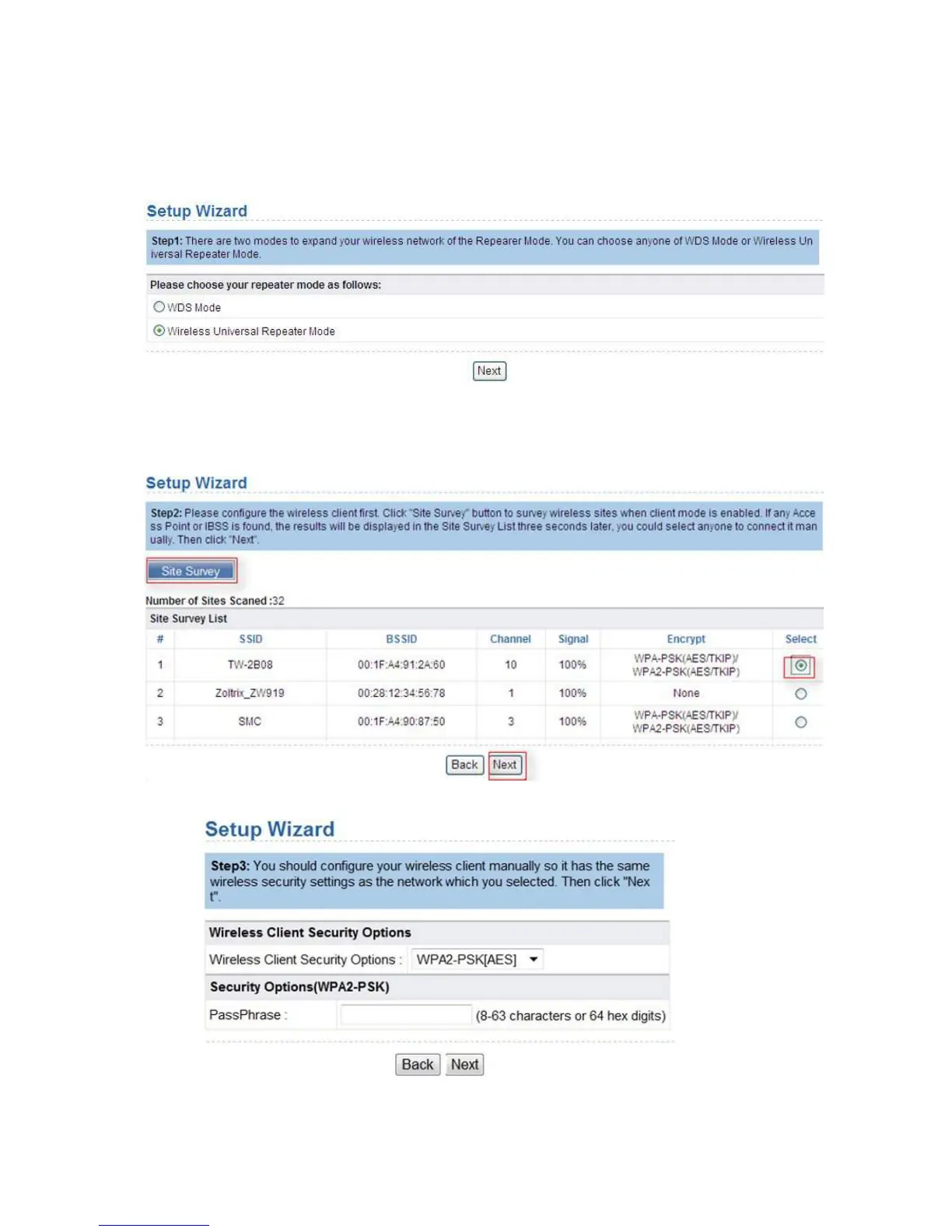
2. Click Loginto enter the configuration page.
3. Click
Setup Wizard in the navigation bar on the left pane of the page, select Wireless
Universal Repeater Mode
and click Next.
4. Click Site Survey to search for the wireless network you want to connect. Select a
desired network and click
Next.
5. Select a wireless Client Security option and then input a pass code. Click Next.


 To Next Page