I
VECONNECT
-
P
ROCEDURE FOR
Software Update
VIA
USB
PENDRIVE
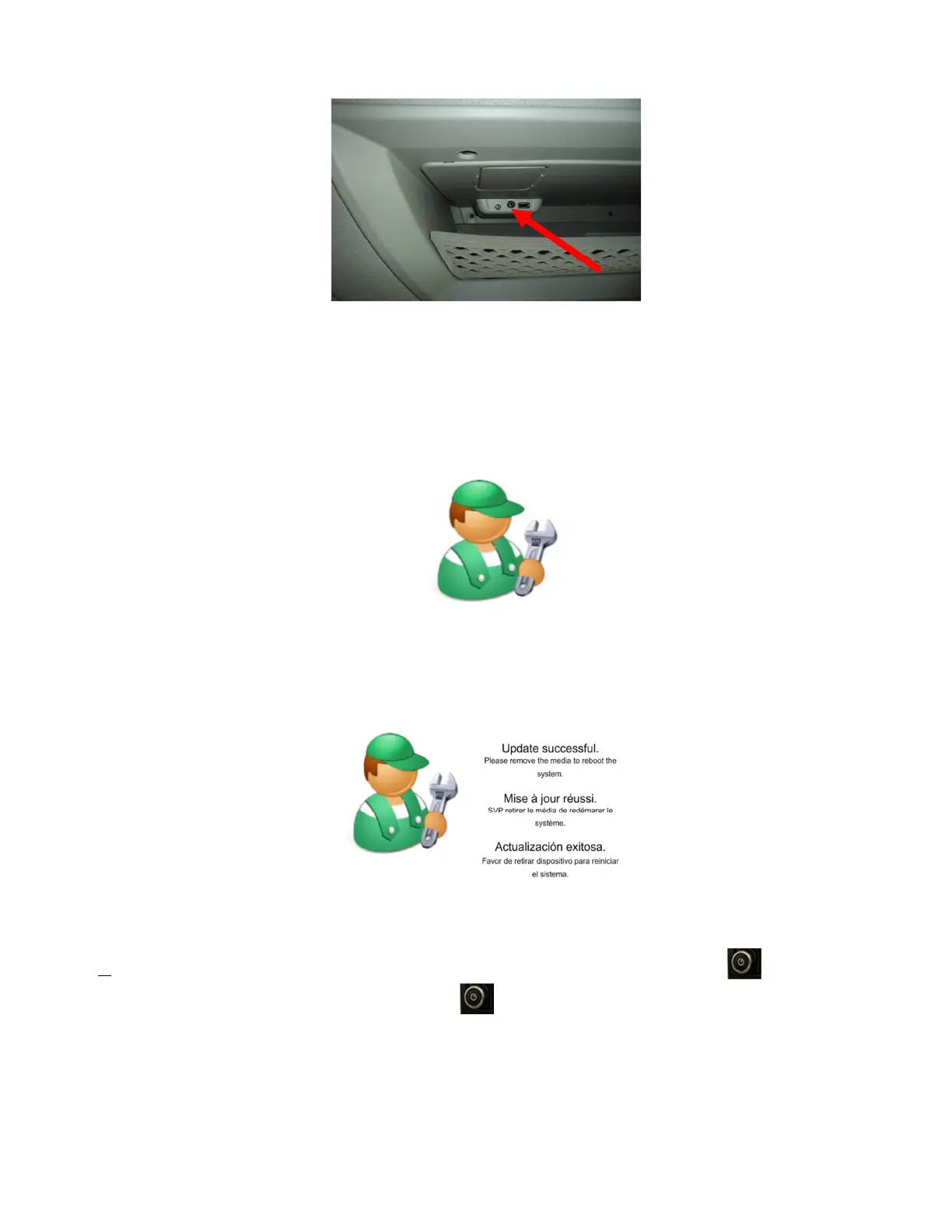
Figure 2 - Location of the USB connector on the upper shell
C. Few seconds after a warning message will be displayed and then the Iveconnect system will restart.
After restarting the update procedure will start automatically.
D. During the update DO NOT REMOVE THE USB PENDRIVE. The image of a worker image will be
shown during the various phases of the update process. Three different screens showing “Verifying
Update Signature”, “Updating Image…” and “Verifying Update” will be shown together with a
progress bar.
Figure 3 – Update in progress
E. In case the update is completed successfully , the following image will appear.
Figure 4 – Update Completed
F. Now the update is almost complete, unplug the USB Pen Drive, press the button to switch off
the system then wait 5 sec and press it again to switch on the system .
A further update screen will appear, please wait until the home screen appears by confirming the
Disclaimer screen.
The System Update Procedure sets automatically English as default language of the Iveconnect; if the
language set in the Instrument cluster of the vehicle is different, Iveconnect once started will ask to align
the Iveconnect language accordingly by showing a system restart pop-up.


 To Next Page
 Loading...