I
VECONNECT
-
P
ROCEDURE FOR
Software Update
VIA
USB
PENDRIVE
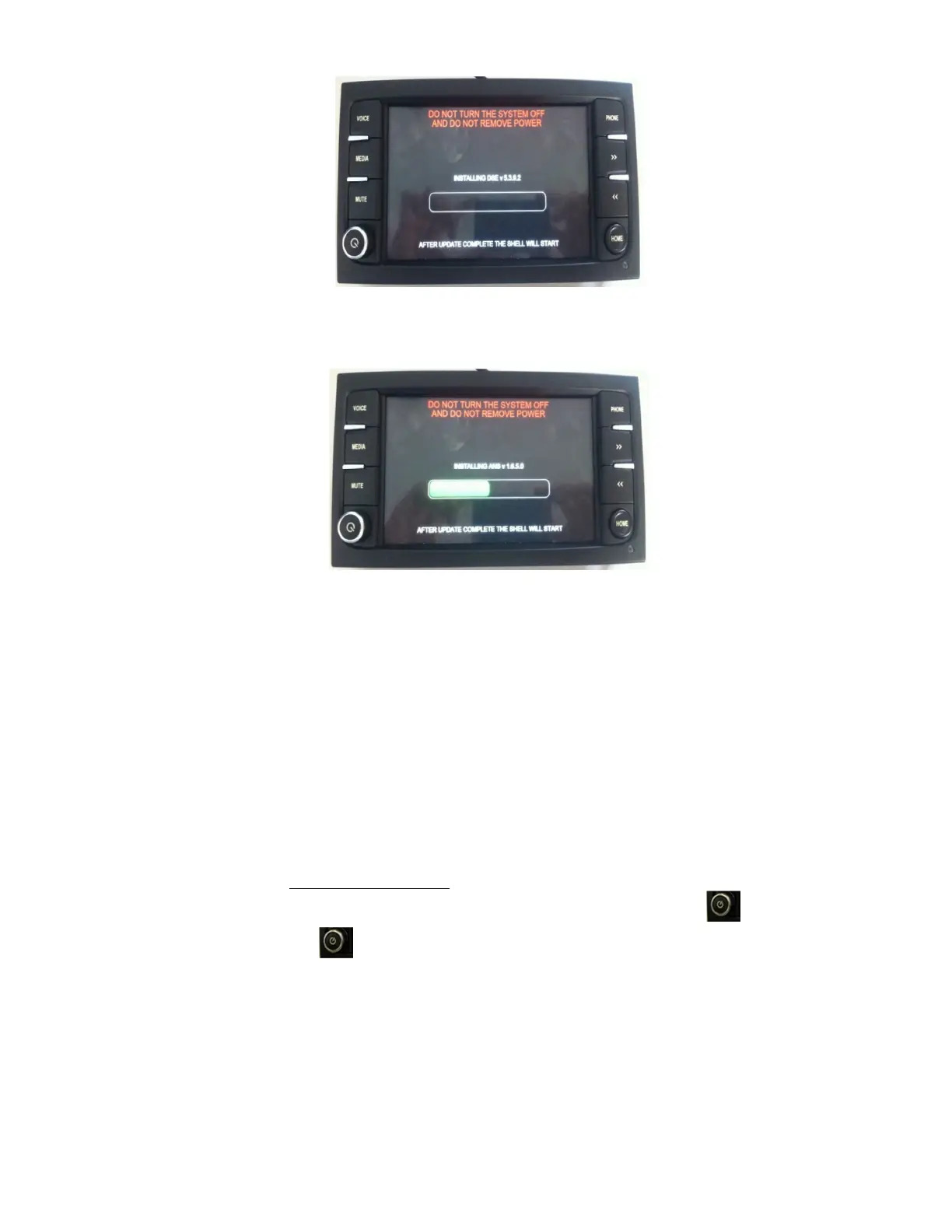
Figure 6 – Application Update procedure screen
C. During the progress of the Application update procedure various screens reporting a green
progress bar will be displayed (see figure 7) .
Figure 7 – Application Installation Progress bar
D. In case the Application Update procedure is completed successfully, the Disclaimer screen will
appear press confirm to access the Home Page. Remove the USB pendrive and delete all files
previously copied to avoid unintentional updates.
Congratulations the Iveconnect System has been updated completely !!!
IMPORTANT NOTE:
In case the progress bar gets red instead of green, this means the application update
procedure has failed. In this case, PLEASE REMOVE USB PENDRIVE, wait for the system
reboot and re-start the Application Update procedure from point A above (in case the
home page does not appear switch-off the system by pressing the button , wait few
seconds and press it again to switch-on the system).
In case the Application Update procedure fails again, please contact the Iveco Service
Network for additional support.


 To Previous Page
 Loading...