7
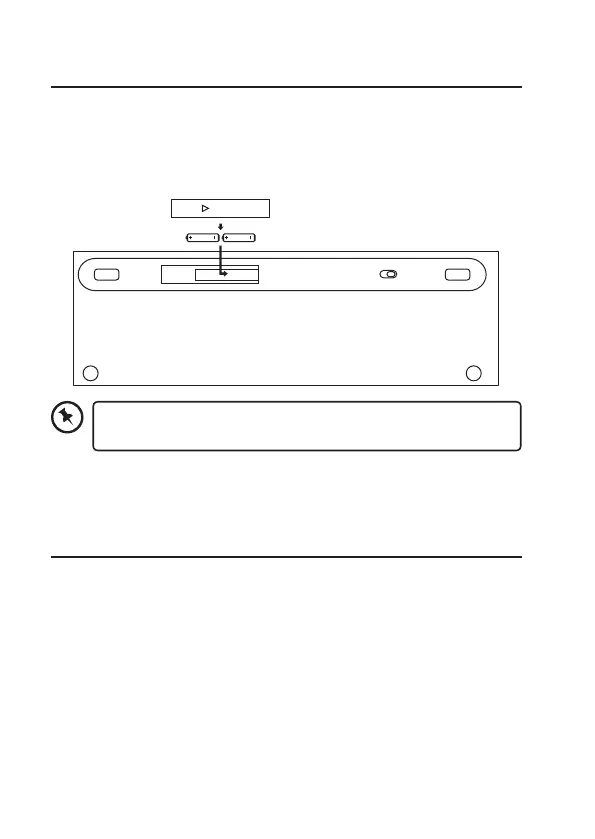
Installing the Batteries
When battery is low, the LED indicator will flash continuously.
1. Remove the battery cover.
2. Insert the batteries.
3. Close the battery cover.
Switching on/o
1. Slide OFF/ON to ON.
2. To switch the keyboard o, slide OFF/ON to OFF.
The keyboard will automatically enter sleep mode when it is idled for about
10 minutes. To wake it up press any key.
Please ensure the battery’s polarities(+/–) match the battery
compartment’s polarities.
ON OFF



 To Next Page