9
Wide-Lines and Blending
1. Depress the main lever (#13)
2. Position the airbrush from 1/2 to 6 inches away from
the surface.
3. Pull the main lever back much further to release more paint
to cover the bigger area.
• A longer distance to the paint surface produces wider lines.
• A shorter distance to the paint surface produces
narrower lines.
• Increased air pressure increases spray width.
• Decreased air pressure decreases spray width.
• The Custom Micron’s maximum usable line width is
approximately 1-1/2 inches.
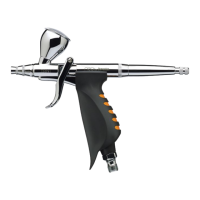
Pre-Set Handle (#11)
A threaded adjusting screw mounted behind the handle limits the
distance the main lever can be pulled back. This provides accurate
paint volume control and is especially useful for repetitive,
precision work.
Cutaway Handle With Pre-Set #11A (CM-C Plus Only,
Optional for CM-B, CM-C and CM-SB)
The cutaway handle allows quick paint clog removal without
removing the handle or needle.
1. Grip the exposed needle chucking nut (#10) with your ngers.
2. Pull it back while simultaneously depressing the main lever (#13).
3. Repeat this process several times until the airbrush is clog free
and spraying normally.
• The increased paint ow past needle and nozzle tip removes
many clogs.
• Don’t let the needle “snap” back into place. This could damage
the nozzle.



 To Next Page