
 Need help?
Do you have a question about the IXIA PerfectStorm ONE and is the answer not in the manual?
Explains the meaning of icons used for notes, cautions, and warnings throughout the documentation.
Provides instructions for unpacking the PerfectStorm ONE appliance and connecting it to the network.
Details the requirements for a management workstation used for initial system configuration.
Guidance on recording essential product information like Host Name and Part Number for future reference.
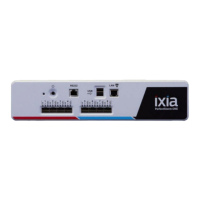
Provides a general overview of the PerfectStorm ONE appliance and its front panel features.
Instructions and specifications for mounting the PerfectStorm ONE appliance into a standard equipment rack.
Explains the appliance's architecture with two virtual machines and their respective IP address requirements.
Details the requirements and restrictions for assigning static IP addresses to the appliance.
Describes how the FlixOS and IxOS IP addresses are utilized for system access and operations.
Explains the two methods for assigning IP addresses: DHCP (default) and static assignment.
Illustrates the overall process and sequence for configuring the PerfectStorm ONE appliance.
Instructions for configuring the system using DHCP for automatic IP address assignment.
Steps to manually configure static IP addresses for the PerfectStorm ONE appliance.
Explains the importance and procedure for setting the system time before license installation.
Details the process and requirements for installing software licenses for Ixia applications.
Provides recommended actions after completing the initial setup and configuration.
Lists the minimum software versions required for IxLoad, BreakingPoint, and IxOS to work with PerfectStorm ONE.
Guide on launching the IxLoad application and assigning ports from the PerfectStorm ONE.
Instructions for launching the BreakingPoint web-based application and starting a new session.
Steps to start IxExplorer, the GUI for managing Ixia test hardware resources.
How to establish a Remote Desktop Connection to the IxOS virtual machine for system management.
Procedure for initiating an SSH session to access the PerfectStorm ONE Administrative Console.
Guide on establishing a serial connection to access the PerfectStorm ONE Administrative Console.
Instructions for performing a graceful system reboot of the PerfectStorm ONE using the console.
Steps for gracefully shutting down the PerfectStorm ONE system via the Administrative Console.
Information on PerfectStorm ONE field upgrades to change model types and activate features.
Explains the meaning of the Power LED and Test Port LEDs for status indication.
Addresses common connectivity problems arising from incorrect IP address configuration or requirements.
Covers issues related to licensing, including license invalidation due to time discrepancies.
Lists and provides solutions for other known issues that may cause operational problems.
 General
| Brand | IXIA |
|---|---|
| Model | PerfectStorm ONE |
| Category | Measuring Instruments |
| Language | English |

 To Next Page