EN
Connecting the Reader
If you are using iZettle Pro for Hospitality connect your reader
in Settings > Integrations > iZettle Settings > Card readers
Read more about the iZettle Reader 2 at izettle.com/help
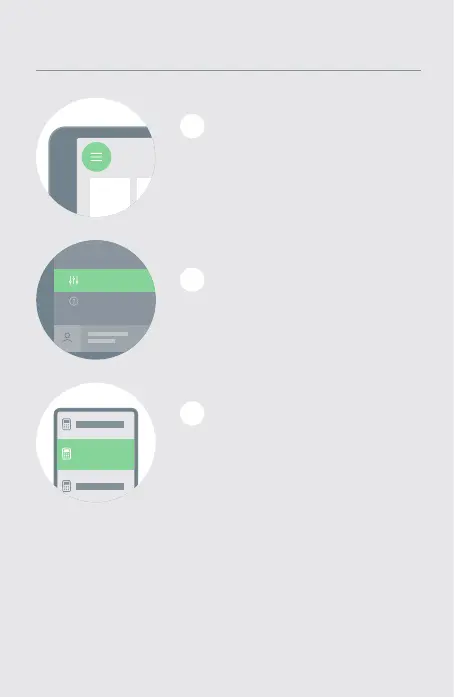
Connecting the card reader via Bluetooth
Select ‘Settings’ and
then ‘Card Readers’
2
Connecting the card reader via Bluetooth
1
Select the iZettle Reader 2
from the list and then follow
our on-screen instructions
3
Connecting the card reader via Bluetooth
Sign into the iZettle app and
press the menu button
in the top left corner.
EN


 To Next Page