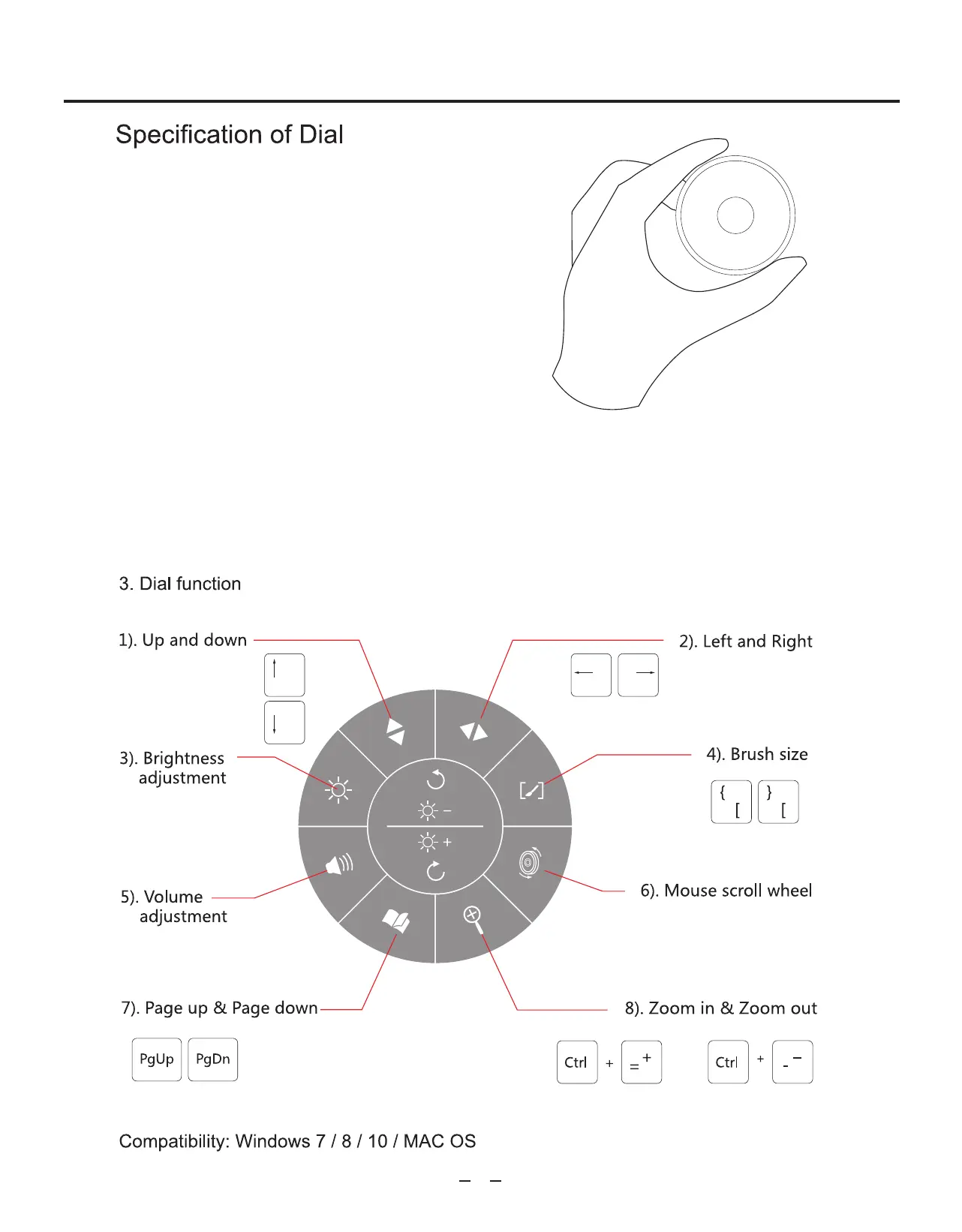
1. Dial: Press the middle button of the dial to
activate the knob functional setting interface
(can only be activated after the driver is
installed). The interface will show up in the
lower right corner, and can be moved with a
mouse, by clicking the center of the interface
and dragging to a new spot. You can select the
function by rotating the dial or clicking the
mouse.
2. After choosing the function by rotating the dial, press the middle button of the dial
or press "Enter" on the keypad to confirm. (If choosing the function with a mouse, no
further action is required). You can reselect the function by pressing the middle
button again.
Operating Instructions
1


 To Next Page