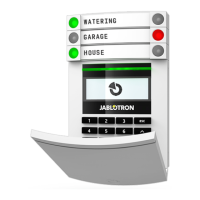
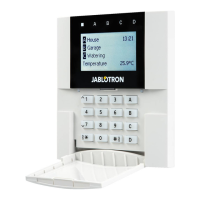
The JA-116E / JA-116E-AN / JA-116E-GR
BUS touchscreen keypad with RFID reader
Typ: 1KPAD2203RN
JA-116E / JA-116E-AN / JA-116E-GR 2 / 3 MRN51603
Setting the properties
The settings are configured by the F-Link software – Devices tab.
Use the Internal settings option on the device position. A dialogue
window will appear in which all the keypad functions can be
configured. See also the F-Link help bubble for details on the
settings.
Factory parameter settings are marked with *.
Assigned sections = Selection of system sections (all are
selected from factory), which are acoustically and optically indicated
by the keypad and are always displayed in the keypad menu on the
section tab (regardless of the authorized user's permissions).
Assigned PG´s = Selection of PG outputs from the system (no PG
outputs are selected from the factory), which are acoustically
signalled by the keypad and are always displayed on the PG tab
(regardless of the authorised user's permissions).
Optical indication
Automatic backlight regulation - Day
Automatically adjusts the light intensity of the display and the
system indicator (2) under the display according to the ambient light
in day mode.
Backlight intensity Day – Allows manual adjustment of system
indicator (2) light intensity and display backlight in four steps when
day mode is active: minimal, low, medium, *high.
Automatic backlight regulation – Night
Automatically adjusts the light intensity of the display and the
system indicator (2) under the display according to the ambient light
in night mode.
Backlight intensity Night – Allows manual adjustment of system
indicator (2) light intensity and display backlight in four steps when
night mode is active: *minimal, low, medium, high.
System status optical indication by
button / system indictor
The button / system indicator (2) indicates system status
according to the following priorities:
1. USB-C cable connected/preparing for FW update – continuously lit
green while the cable is connected.
2. BOOT mode / FW update - very short yellow flash with 1s pause
while BOOT mode is active (FW update).
3. Keypad disabled (bypass) - system indicator off (keypad disabled
in F-Link SW - red dot); lasts for the duration of keypad disablement.
4. Not enrolled to the system - yellow flashing at 2 Hz until it is enrolled
to the system.
5. Full arming/unauthorised user/entry delay - green flashing at 2 Hz
for the duration of the full arming if there is no authorised user.
6. Full arming/unauthorised user - no indication, for the duration of the
full arming, if there is no authorised user.
7. Keypad Internal settings open – permanently lit yellow, for the
duration of settings being open.
8. Loss of communication – permanently lit yellow for the duration of
the loss.
9. Indicates activation and deactivation of the keypad's own tamper
contact - short red flash; 1x flash during activation and deactivation
of tamper contact in Service or Maintenance mode.
10. Pending information* - quick yellow flash with a pause, only
indicates if there is no authorized user and for the duration of the
pending information.
11. Pending information in power saving mode* - fast yellow flashing
with long pause - only during power failure.
12. Service mode – fast yellow flashing; while Service mode is open.
13. Maintenance mode – fast green flashing; while Maintenance mode
is open.
14. Alarm ongoing / pre-alarm - rapid red flashing; for the duration of
the alarm.
15. Alarm memory - two quick red flashes and a pause; until the alarm
memory indication is cancelled.
16. Unsuccessful setting - rapid yellow flashing; for the duration of the
unsuccessful setting.
17. Unsuccessful setting in power saving mode - slow yellow flashing;
for the duration of unsuccessful setting.
18. Entry delay -
slow green flashing; for the duration of the entry delay
time.
19. System fault – permanently lit yellow; out of power saving mode for
the duration of the fault.
20. Authorized user - permanently lit green; for the duration of the valid
authorization.
21. Everything OK without authorization request - does not light up until
status change.
Notes:
− The system indicator (2) provides indications even when the screen
is off.
− * Pending information serves as a warning to the authorized user of
some "pending" indication or information that cannot be displayed to
an unauthorized user in a given system profile. Pending information
is indicated if the system has an EN50131-1 or Incert profile on when
the Alarm, Alarm Memory, Fault, Service or Maintenance mode
occurs.
Acoustic indication
Description of keypad’s acoustic indication settings.
Day volume = Adjusts the volume of the acoustic indication when
the day mode is active. Adjustable in four steps: off, low, medium,
*high.
Night volume = Adjusts the volume of the acoustic indication
when the night mode is active. Adjustable in four steps: off, *low,
medium, high.
Alarm and Unsuccessful setting indication = Adjusts the
volume of the acoustic indication of alarm and unsuccessful setting
regardless of other acoustic indication (exit / entry delay, ...).
− Always full = The keypad will always indicate an alarm and
unsuccessful setting acoustically at full volume, regardless of the
keypad volume setting and day / night mode.
− *According to the intensity setting = The keypad will
acoustically indicate an alarm and unsuccessful setting at the
same volume as other acoustic indications.
− No = The keypad will not indicate alarm and unsuccessful setting
acoustically.
Exit delay indication – Configures under which conditions the exit
delay should be acoustically indicated.
− No = The keypad will not acoustically indicate exit delay.
− *When fully armed = The keypad will acoustically indicate the
exit delay only when the section is fully armed.
− Always = The keypad will acoustically indicate the exit delay
when the section is fully or partially armed.
Entry delay indication – *Enable / disable acoustic indication
during entry delay.
Section status change - *Enable / disable acoustic indication
when section status changes.
PG status change - *Enable / disable acoustic indication when
the PG status changes.
Pressing indication - *Enable / disable acoustic indication when
pressing the touchscreen.
Acoustic indication of individual system states
Acoustic indication of system states according to their priorities:
1. Confirmation of action - short higher tone 1.2 kHz.
2. Action denied - short lower tone 400 Hz.
3. RFID card/tag detection - 1x short beep 2 kHz.
4. Valid authorization - 1x short higher tone beep 3.2 kHz.
5. Invalid authorization - 1x short lower tone 400 Hz.
6. Card code / card code confirmation request - 2.2 kHz.
7. Alarm - long drawn tone 3 kHz for the during alarm.
8. Entry delay - uninterrupted 1.25 kHz tone for the during entry
delay.
9. Unsuccessful setting - repeated 1.25 kHz short tone until the
unsuccessful setting indication is cancelled.
10. Exit delay - beeps at 1.25 kHz during the exit delay.
11. Change section status - 1x beep with 2 kHz tone.
12. PG output status change - 1x short beep with 2 kHz tone.
Thermometers
Temperature 1 and 2 – The measured temperature from the
selected devices will be displayed on the Temperature tab and on
the lock screen.



 To Next Page
 Loading...