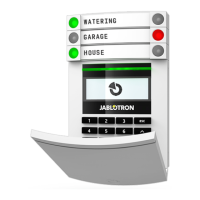
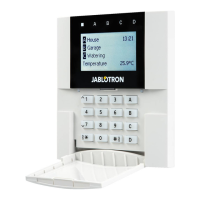
The JA-116E / JA-116E-AN / JA-116E-GR
BUS touchscreen keypad with RFID reader
Typ: 1KPAD2203RN
JA-116E / JA-116E-AN / JA-116E-GR 3 / 3 MRN51603
Temperature 3 to 8 – The measured temperature from the
selected devices will be displayed on the Temperature tab.
Note:
− A maximum of 8 temperature meters assigned to the system can be
set to be displayed.
Special options
Lock screen – Sets the period of time that the display will show
the lock screen (Includes time, date, temperature) before the display
is completely turned off.
Optional intervals: Off, 1 min, 2 min, *5 min, 15 min, 30 min, 1 hr,
Persistent
Display Temperature - displays the temperature on the keypad
lock screen.
Display clock - displays the hour and date on the keypad lock
screen.
Background wallpaper - select the image displayed on the
keypad lock screen in the following modes:
- Disabled - the lock screen background is black.
- 24 h mode - the background wallpaper changes every day at
midnight
- Display permanently - permanent display of one of 7
background wallpapers, if you select this option the following
parameter will appear within the wallpaper selection.
Static wallpaper mode - if static display is selected a choice of 7
background wallpapers is available.
Card reader – The setting allows you to permanently disable the
card reader.
Service contact – Used to fill in the contact details of the service
company.
Installation company – Allows to enter the name of the
installation company, which will be visible to all users in the keypad
menu.
Phone number – Allows to enter the name of the installation
company, which will be visible to all users in the keypad menu.
A keypad configuration which complies with
certification requirements must be selected from
the list of S
ystem profiles in the system
Parameters tab of the F-link SW.
Firmware update
It is done via the F-Link software using a USB-C cable or via BUS
and must be performed by a user with Service level authorization.
1. Start the F-Link software and open the existing database of the
system.
2. Enter the service mode and (if updating via USB-C) remove the
keypad from the mounting pad.
3. If updating via USB-C then connect the keypad to a PC.
4. Select Control Panel → Firmware Update from the toolbar.
5. In the device menu table, select the required device; if Automatic
Update is disabled, select the FW package file (included in the
F-Link software or can be published for download separately, file
type *.fwp).
6. Press OK to update the selected device.
7. After the update is complete, check the keypad settings with
F-Link, Devices / Internal settings. Depending on the changes
made during the update, the previous keypad settings may be
retained or reset to factory defaults.
Note:
− The device firmware can be updated over the system BUS without
a USB connection, but the update time exceeds 10 min.
Technical specifications
Type of control device type B
Power from control panel bus 12 V DC (8–15 V)
Current power consumption for backup chose 40 mA
Nominal current consumption (display OFF) 85 mA
Maximal current consumption (for cable selection) 250 mA
RFID frequency 125 kHz
Maximum RFID magnetic field strength -5.4 dBμA/m (measured at 10 m)
Dimensions 95 x 183 x 30 mm
Weight 248 g
Classification Security grade 2/Environmental class II
(According to EN 50131-1)
Environment indoor general
Operating temperature range -10 °C to +40 °C
Average operational humidity 75% RH, w/o condensation
Certification body Trezor Test s.r.o. (nr. 3025)
In compliance with ETSI EN 300 330, EN 50130-4, EN 55032,
EN IEC 62368-1, EN IEC 63000, EN 50131-1, EN 50131-3
Can be operated according to ERC REC 70-03
Recommended screw 4 x ø 3.5 x 40 mm (half-round head)
JABLOTRON ALARMS a.s. hereby declares that the
1KPAD2203RN is in a
compliance with the relevant Union
harmonisation legislation: Directives No: 2014/53/EU,
2014/35/EU, 2014/30/EU, 2011/65/EU. The original of the
conformity assessment can be found at www.jablotron.com –
Section Downloads
Note: Disposing of this product correctly will help save valuable
resources and prevent any potential negative effects on human
health and the environment, which could otherwise arise from
inappropriate waste handling. Please return the product to the
dealer or
contact your local authority for further details of your
nearest designated collection point.
JABLOTRON ALARMS a.s.
Pod Skalkou 4567/33 46601 Jablonec n. Nisou
Czech Republic www.jablotron.com
||
|



 To Previous Page
 Loading...