Need help?
Do you have a question about the Jabra 750 and is the answer not in the manual?
Learn how to enable or disable shared use mode via Jabra Direct for optimized speakerphone connectivity.
Ensure you have the latest version of Jabra Direct software installed on your system.
Understand the manual re-pairing process required when shared use is enabled.
Information regarding the illustrative nature of images and text for software updates.
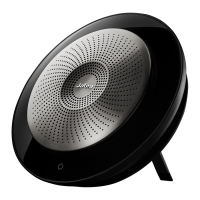
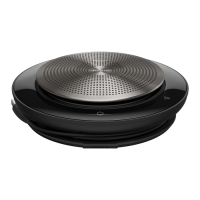
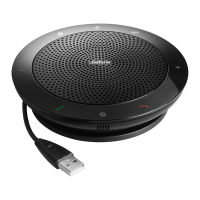
The Jabra Speak 750 is a premium portable speakerphone designed to facilitate clear and efficient audio communication in a variety of settings, particularly optimized for use with Microsoft Teams. It serves as a central audio hub for meetings, calls, and multimedia playback, offering a high-quality sound experience for both participants in the room and remote attendees. Its primary function is to provide crystal-clear sound and microphone pickup, ensuring that every voice is heard and understood without distortion or background noise.
One of the key usage features of the Jabra Speak 750 is its shared use mode. This mode is specifically designed for environments where multiple users might utilize the same speakerphone, such as in huddle rooms, conference rooms, or shared office spaces. When shared use mode is enabled, the speakerphone's automatic reconnection feature to previously paired Bluetooth devices is disabled. This means that when a new user picks up the speakerphone, it will not automatically attempt to connect to the last person's mobile phone or other Bluetooth device. Instead, each user will need to manually pair their device, ensuring a clean slate for every meeting and preventing unintended connections or interruptions. This feature is particularly beneficial in preventing privacy issues and ensuring that the speakerphone is always ready for the current user's specific needs without interference from past connections.
To manage this shared use mode, users interact with the Jabra Direct software. Within Jabra Direct, after selecting the Jabra Speak 750 device, users can navigate to the "Device settings" section. Under "Speakerphone" and then "Shared use," there is a slider that allows for easy toggling of this feature on or off. This intuitive interface makes it straightforward for IT administrators or individual users to configure the speakerphone according to their operational requirements. Once the setting is adjusted, clicking "Apply" saves the changes, making the speakerphone immediately ready for either dedicated personal use or a shared environment.
The Jabra Speak 750 also incorporates voice guidance, a helpful usage feature that provides spoken information about the speakerphone's status. This includes guidance during Bluetooth pairing, battery status updates, and other operational cues. Voice guidance simplifies the user experience, especially for those who may not be familiar with the device, by offering clear, audible instructions and feedback. This reduces the need to constantly refer to a manual or visual indicators, allowing users to focus on their call or meeting.
For connectivity, the Jabra Speak 750 offers both USB and Bluetooth options. When connected via USB, it acts as a plug-and-play device, instantly recognized by most operating systems without the need for additional drivers. For wireless connectivity, its Bluetooth capabilities allow for pairing with mobile devices, tablets, and computers. If the speakerphone is used with a Jabra Link Bluetooth adapter, and shared use mode is active, users will need to manually re-pair their device each time they wish to connect. This involves pressing the Bluetooth button on the speakerphone and following the voice guidance, reinforcing the "clean slate" approach of shared use.
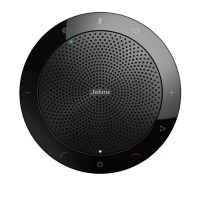
The design of the Jabra Speak 750 emphasizes portability and ease of use. Its compact form factor makes it suitable for carrying between different meeting rooms or for use on the go. The controls on the device itself are typically intuitive, allowing users to answer/end calls, adjust volume, and mute the microphone directly from the speakerphone.
In terms of maintenance features, while the manual doesn't explicitly detail extensive user-level maintenance, the reliance on Jabra Direct for configuration and updates implies a streamlined approach to keeping the device optimized. Jabra Direct is a software application that allows users to manage and update their Jabra devices. This includes firmware updates, which are crucial for ensuring the speakerphone operates with the latest features, bug fixes, and compatibility improvements. Regular firmware updates through Jabra Direct contribute significantly to the longevity and consistent performance of the device, ensuring it remains compatible with evolving operating systems and communication platforms.
The ability to manage a pairing list within Jabra Direct is another subtle maintenance-related feature. While shared use mode disables automatic reconnection, the pairing list allows users to view and potentially delete previously paired devices. This can be useful for troubleshooting connectivity issues or for ensuring that the speakerphone's memory is clear of old, unused pairings, contributing to a more efficient and secure device environment.
The Jabra Speak 750 is part of a family of Jabra Speak devices, including the Jabra Speak 710 MS, Jabra Speak 710 UC, and Jabra Speak 750 - UC, each tailored for different communication platforms or general unified communications. The "MS Teams" designation for the Jabra Speak 750 highlights its specific optimization for Microsoft Teams, ensuring seamless integration and enhanced functionality within that ecosystem. This optimization often includes dedicated buttons or specific firmware configurations that align with Teams' features, providing a superior user experience for Teams calls and meetings.
In summary, the Jabra Speak 750 is a sophisticated speakerphone designed for modern communication needs. Its core function is to deliver high-quality audio for meetings and calls. Key usage features like the configurable shared use mode, intuitive voice guidance, and versatile connectivity options (USB and Bluetooth) make it adaptable to various professional environments. Maintenance is primarily managed through the Jabra Direct software, which facilitates firmware updates and device configuration, ensuring the speakerphone remains up-to-date and performs optimally over time. Its focus on ease of use, portability, and platform-specific optimization (especially for MS Teams) makes it a valuable tool for enhancing collaboration and communication.
 General
| Brand | Jabra |
|---|---|
| Type | Speakerphone |
| Connectivity | USB & Bluetooth |
| Wireless Range | Up to 30 meters |
| Charging Time | 3 hours |
| Microphone | Omnidirectional |

 To Next Page