Jabra PRO™ 9400
series
Jabra GO™ 6470
OR OROR
Jabra GN9350e/
Jabra GN9330e EHS
Jabra GN9120/
Jabra GN9125 EHS
9
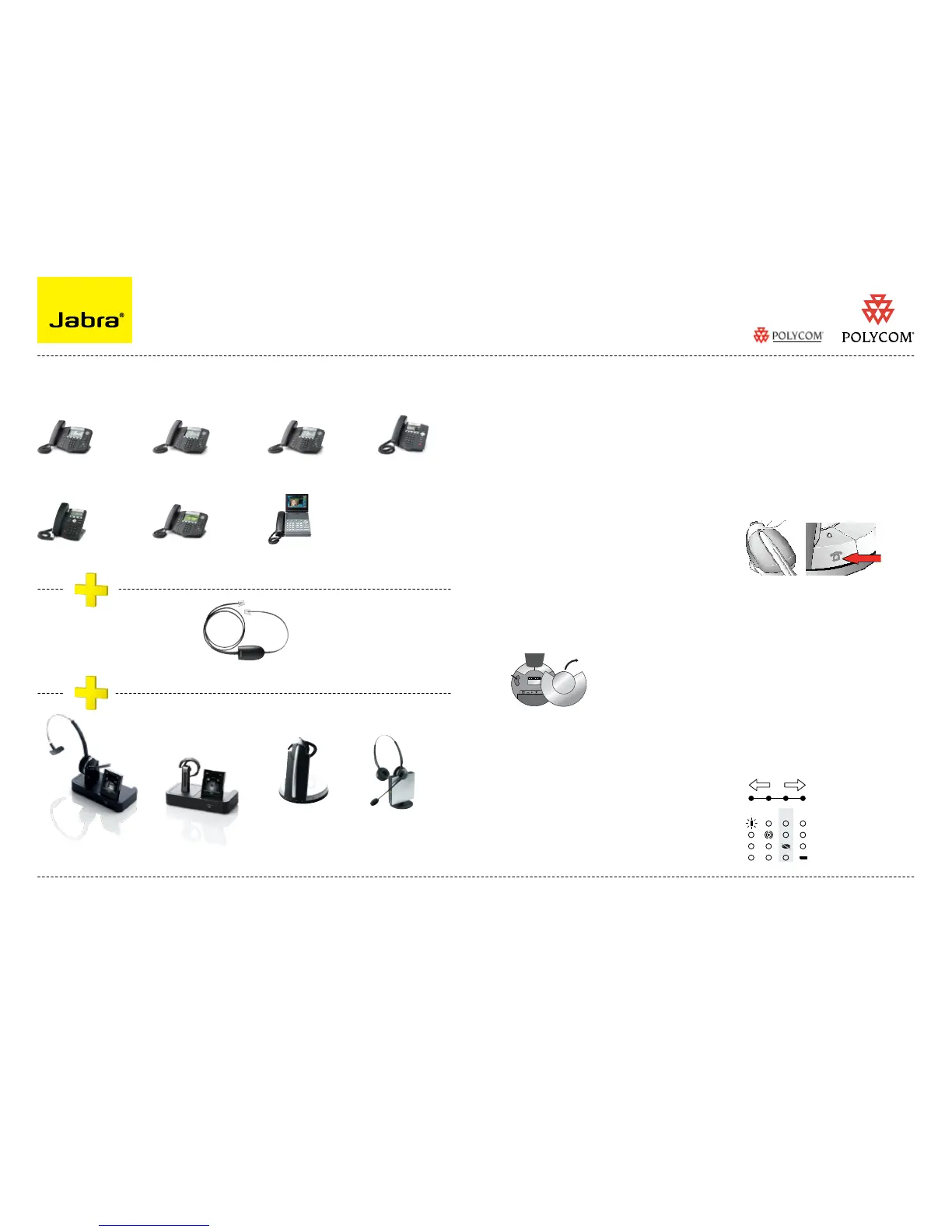
Electronic Hook Switch (EHS) Solutions for Polycom
SUPPORTED POLYCOM IP PHONES SET UP INFORMATION
To connect your Polycom phone and Jabra headset with the EHS Adapter, just follow these
simple steps:
Setting up the Polycom phone
Press “Menu”. 1.
Select Settings>Basic>Preferences>Head-set>Analog Headset Mode. 2.
Use the up and down arrow keys to select Jabra Mode, then press the Select soft key. 3.
Press “Menu” or the exit soft key to return to the idle display.4.
SoundPoint
®
IP
650 phone
SoundPoint
®
IP
430/450 phone
SoundPoint
®
IP
560 phone
SoundPoint
®
IP
320/330* phone
SoundPoint
®
IP
550 phone
SoundPoint
®
IP
670 phone
* (2.5MM adapter is required for 320/330 models. Part No. 8800-00-75)
You must be running SIP application version 3.0 or later and BootRom 4.1.0 or later
Regional sales contacts:
Americas: Bill Orlansky, borlansky@gn.com
EMEA: Norbert Lohwieser, nlohwieser@gn.com
APAC: Mike Powrie, mpowrie@gn.com
Jabra LINK™ 14201-17 EHS Adapter for Polycom
For more information visit www.jabra.com/polycom
SEE THE LAST PAGE FOR ORDER INFO
Setting up Jabra PRO 9400 and Jabra GO
6400 - follow the guide on page 11.
Setting up Jabra GN9350e series
Open up the cover on the base unit. 1.
On the LCD display, navigate to the 2.
handset picture.
Navigate to the DHSG mode and select 3.
it by pressing the OK button.
Set Compatibility selector in position “A”4.
.
Setting up Jabra GN9330e EHS
Place headset on base station.1.
Push simultaneously 5 sec on the 2 2.
buttons (base station and headset
– see illustrations next column)
LED on headset starts to blink rapidly 3.
Choose EHS mode with volume control 4.
on headset. LEDs on base indicates
selected mode: LED 2: DHSG mode
After setting wait a few seconds. 5.
When LED on headset stops blinking,
start using headset.
VVX 1500
phone
Compatibility selector
Jabra GN9350e
Setting up Jabra GN9120/GN9125 EHS
Set compatibility selector (1.
Telephone
Termination Switch Wheel
)
in position “A”
Set the base unit to the DHSG mode 2.
by keeping the headset in the base
and hold the volume +/- buttons on
the headset for 6 seconds until the red
light on the base flashes rapidly.
Scroll through the four different 3.
settings using +/- and set to the lips
icon. Leave for 15 seconds until the
unit has displayed the confirmation
flash sequence and it is ready to go!
Setting up Jabra GN9330e EHS


 To Next Page
 Loading...