EasyManua.ls Logo

Jabra OTE090 - User Manual

Jabra OTE090
18 pages
Print Icon
To Next Page IconTo Next Page
Loading...
User manual
Elite Active 45e
Jabra
Question and Answer IconNeed help?

Do you have a question about the Jabra OTE090 and is the answer not in the manual?

Summary

Welcome to Jabra Elite Active 45 e

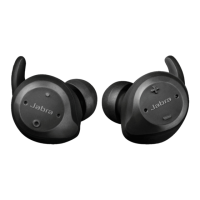
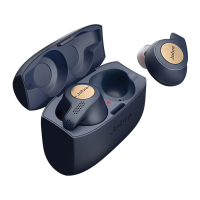
Jabra Elite Active 45 e Product Overview

How to Wear Jabra Elite Active 45 e Earbuds

Charging Your Jabra Elite Active 45 e

Understanding LED Indicators

Explains the meaning of battery and status LEDs on the earbuds.

Connecting Jabra Elite Active 45 e to Devices

Powering On and Off

Instructions for turning the earbuds on and off via the multi-function button.

Pairing with a Smartphone

Steps to connect the earbuds to a smartphone via Bluetooth.

Using Jabra Elite Active 45 e Features

Calls and Music Controls

Managing calls and music playback using the earbud buttons.

Voice Assistant Activation

How to access Siri, Google Assistant, or Amazon Alexa using the voice button.

Multiple Call Handling

Managing multiple calls, including answering, holding, and switching.

Voice Guidance Settings

Controlling voice prompts for status updates and guidance.

Resetting the Earbuds

Procedure to reset the earbuds to factory settings.

Firmware Update Process

Information on updating the earbud firmware via the Jabra Sound+ app.

Jabra Sound+ App Integration

Jabra Elite Active 45 e Support and Care

Frequently Asked Questions (FAQ)

Link to online FAQs for common user queries.

Earbud Care and Storage

Guidelines for proper care, cleaning, and storage of the earbuds.

Summary

Welcome to Jabra Elite Active 45 e

Jabra Elite Active 45 e Product Overview

How to Wear Jabra Elite Active 45 e Earbuds

Charging Your Jabra Elite Active 45 e

Understanding LED Indicators

Explains the meaning of battery and status LEDs on the earbuds.

Connecting Jabra Elite Active 45 e to Devices

Powering On and Off

Instructions for turning the earbuds on and off via the multi-function button.

Pairing with a Smartphone

Steps to connect the earbuds to a smartphone via Bluetooth.

Using Jabra Elite Active 45 e Features

Calls and Music Controls

Managing calls and music playback using the earbud buttons.

Voice Assistant Activation

How to access Siri, Google Assistant, or Amazon Alexa using the voice button.

Multiple Call Handling

Managing multiple calls, including answering, holding, and switching.

Voice Guidance Settings

Controlling voice prompts for status updates and guidance.

Resetting the Earbuds

Procedure to reset the earbuds to factory settings.

Firmware Update Process

Information on updating the earbud firmware via the Jabra Sound+ app.

Jabra Sound+ App Integration

Jabra Elite Active 45 e Support and Care

Frequently Asked Questions (FAQ)

Link to online FAQs for common user queries.

Earbud Care and Storage

Guidelines for proper care, cleaning, and storage of the earbuds.

Jabra OTE090 Specifications

General IconGeneral
ModelJabra OTE090
CategoryHeadphone
Form FactorOn-ear
TypeWired
ConnectivityWired
MicrophoneYes
Driver Size40 mm
Frequency Response20 Hz - 20 kHz
Cable Length1.2 m
Impedance32 Ohms

Related product manuals