12
english
jabra rox WIrELESS
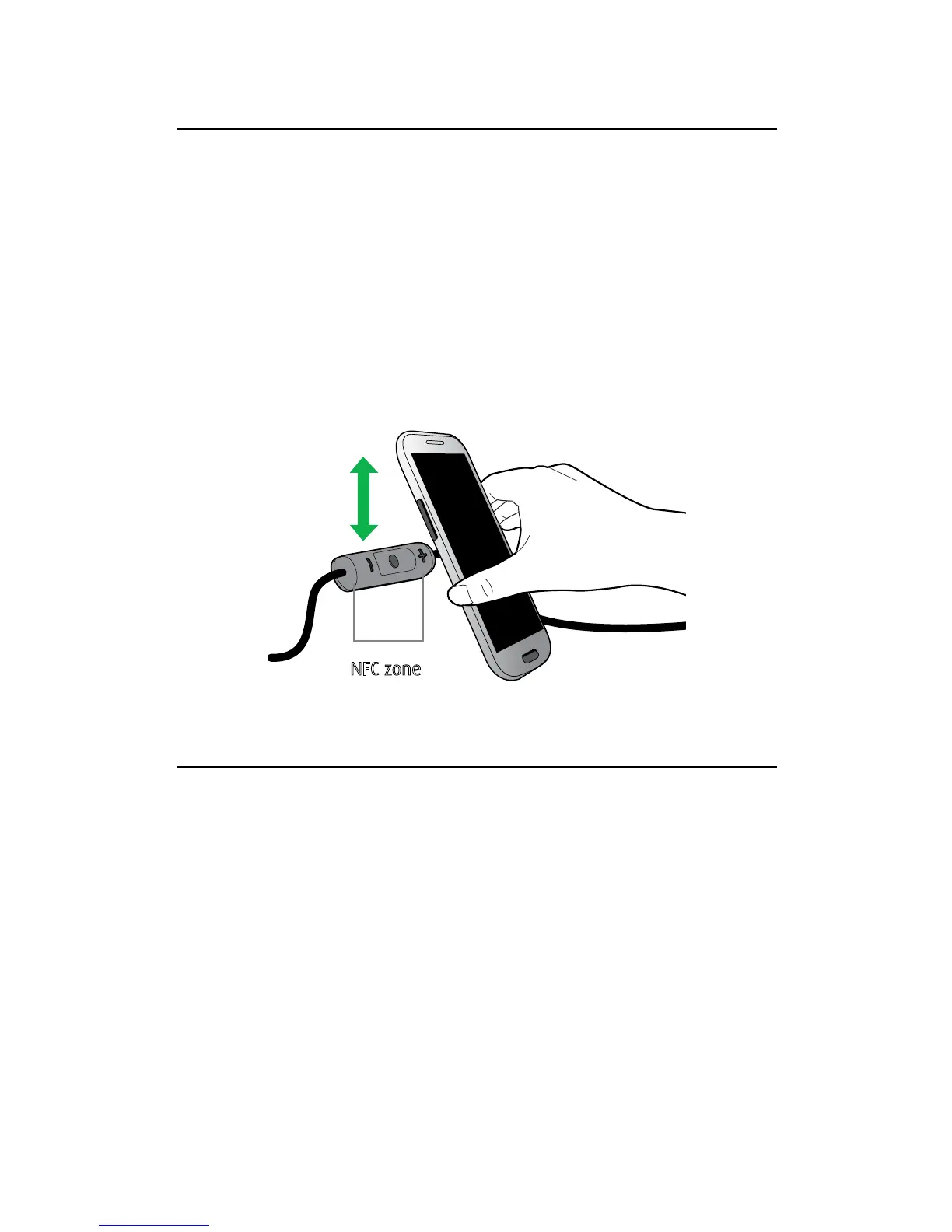
5.2 CONNECT WITH AN NFC DEVICE
1. Ensure that NFC is enabled on your mobile
device.
2. Ensure that the magnetic earbuds are separated.
3. Slowly slide the NFC zone of the headset (button
side of the control box) directly against the NFC
device until an NFC connection is confirmed.
5.3 CONNECT MULTIPLE DEVICES
It is possible to connect multiple mobile devices to
the headset using Bluetooth or NFC.
If two mobile devices are connected to the headset
at the same time and one of the devices loses
connection, the Multi-function button will control
the remaining connected device (Pause/Play for
Music and Answer/End for calls). To reconnect the
disconnected device go to it’s Bluetooth menu and
reconnect.
NFC zone







 To Next Page