EasyManua.ls Logo

JACFIT JMATE - User Manual

JACFIT JMATE
2 pages
Print Icon
To Next Page IconTo Next Page
Loading...
More info on the website,
Jact.com
JMate
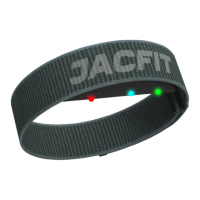
JMate strap x 2 (260mm/290mm)
USB charging cable
2. Turn on Location and Bluetooth on mobile setting. Allow Jacfit
app to use them while rst download.
3. Open the Jact app and enter “Boxing” mode.
4. Knock JMate to wake up. When
the LED indicator lights up
“Green”, you will see the sensor
ID appears on the Bluetooth
setting.
5. Click the ID and press “Connect”
to Boxing mode. If connected,
the indicator light will become
“Blue”.
Scan QR code to download the
Jact App
iOS Android
Charging
1. Attach the small end of the USB cable to the
magnetic charging port on your device.
2. Plug the large end of the USB cable into a
USB charging port.
3. LED indicator will light up “Red” until
charging is completed. Note: When indicator
flashes "Green" means battery is low.
Please charge.
Installation
1. Align JMate and
strap with Jact
logo.
2. Connect them with
hook magic tape.
JMate Boxing Mode
1. Knock JMate and check
the indicator light. Wear
it on your “Right wrist”
and the indicator light
side facing you.
Boxing
RunBike
Bluetooth Setting
Device list
JMate
Connect
Skip
"Jact" Would Like to
Use Bluetooth
OKDon't Allow
Jact requries to use Bluetooth to
connect with the device
Question and Answer IconNeed help?

Do you have a question about the JACFIT JMATE and is the answer not in the manual?

Summary

JMate Boxing Mode Setup

Wearing and Initializing JMate

Wear JMate on the right wrist with the indicator light facing you and knock to check.

Mobile Device and App Setup

Enable Location and Bluetooth on your mobile and allow the Jacfit app access.

Connecting JMate to Boxing Mode

Wake JMate, find its ID in Bluetooth settings, and connect to the app's Boxing mode.

JMate Charging and Installation

Charging Procedure

Connect the USB cable to the device and a power source; observe LED indicator for charging status.

Attaching the Strap

Align the JMate with the strap and secure using the hook and loop fastener.

JMate Step Coin Mode

Tracking Steps and Converting to Jcoins

Wear JMate for step tracking and connect to the app to exchange steps for Jcoins.

Casting Calibration

Calibrating Screen Casting

Access app settings for casting calibration and adjust timing to optimize score.

JACFIT JMATE Specifications

General IconGeneral
BrandJACFIT
ModelJMATE
CategoryFitness Equipment
LanguageEnglish