02
Wall Charger
Car Charger
Solar Charger(Optional)
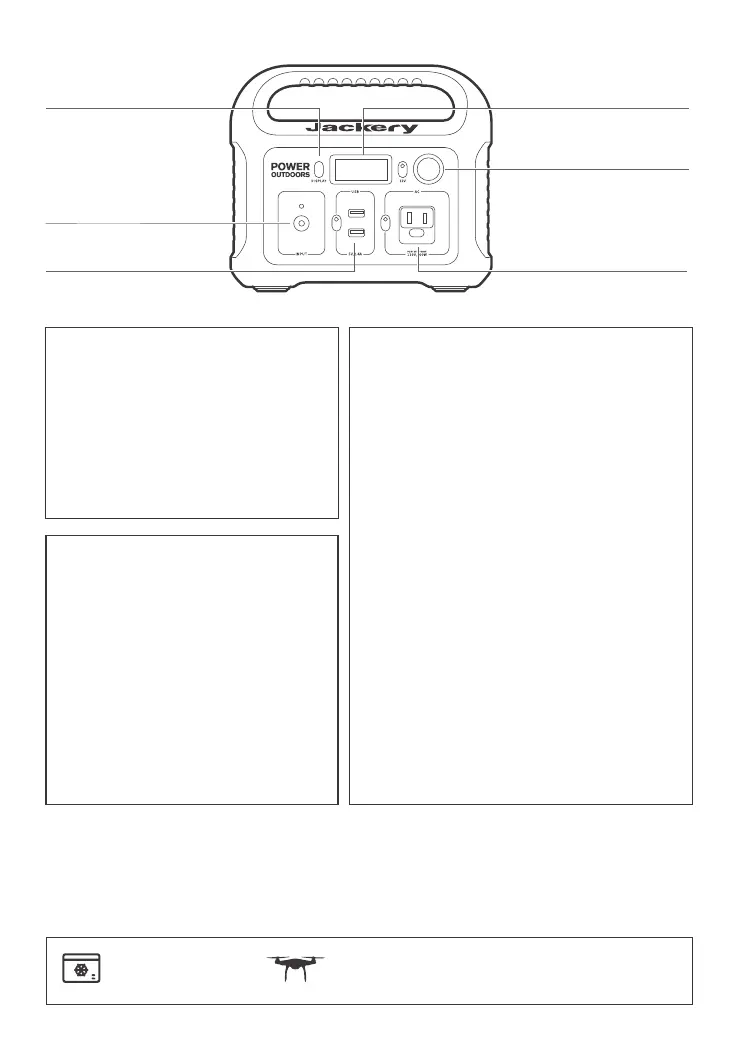
DC INPUT
LCD Screen Button
AC Button / DC 12V Button / USB Button
POWER
Press the power button to check the
remaining battery.
Turn off each output by pressing its power
button as it does not turn off automatically
or it will drain the battery out.
LCD
Power Level Percentage
Check the battery level by pressing the display
button before use. If battery is at a low level,
charge first.
LCD screen flickers 10 times when battery
capacity drains to 20% and 10%.
Power of Input & Output (W)
If the Jackery Explorer's total output exceeds
200W, it will automatically shut off.
Please ensure the power consumption is less
than 200W, then press the power button.
Low & High Temperature Alarm
The Explorer 290 can power your devices at
temperatures ranging from -10-40°C
(14-104°F). If your working temperature is
outside this range, the Explorer 290 may stop
working.
Here are some common devices and their power requirements for each charging port.
Car Port
CHARGING
Car Fridge (60W)
About 19 Hours
Drone
About 6 Recharges
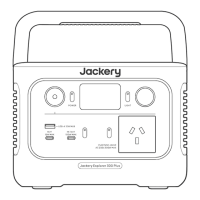
LCD Screen Button
AC Output
Car Port
LCD
DC Input
USB Output







 To Next Page