EasyManua.ls Logo

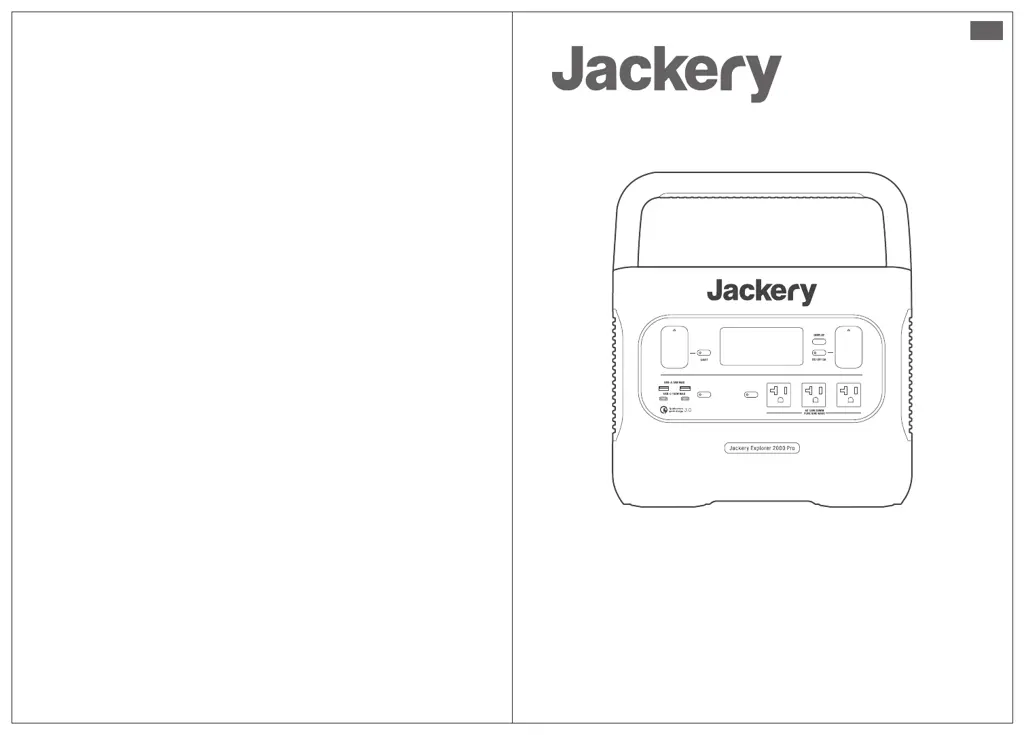
Jackery Explorer 2000 Pro - User Manual

Jackery Explorer 2000 Pro
18 pages
Print Icon
To Next Page IconTo Next Page
Loading...
封面正面
Version: JAK-UM-V1.0
Model: JE-2000A
Contact us:
hello@jackery.com
1-888-502-2236(US)
USER MANUAL
Jackery Explorer 2000 Pro
EN

Questions and Answers

  • J
    Jason HunterJul 29, 2025
    What to do if my Jackery Portable Generator shows an overcurrent or short circuit charging/discharging protection error?
    • T
      Tammy ClaytonJul 29, 2025
      If your Jackery Portable Generator displays an overcurrent or short circuit charging/discharging protection error, try disconnecting the plug or any connected electrical appliances. The product should recover automatically. If the issue persists, you should contact after-sales service.
  • A
    Alexis ThompsonAug 6, 2025
    What to do if my Jackery Explorer 2000 Pro Portable Generator shows a DC output overcurrent/short circuit protection error?
    • N
      nancymilesAug 6, 2025
      If your Jackery Portable Generator displays a DC output overcurrent or short circuit protection error, disconnect any connected electrical appliances. The product should then resume normal operation automatically. If the problem continues, contact after-sales service.
  • C
    Craig SmithAug 13, 2025
    What does it mean if my Jackery Portable Generator is showing a high temperature warning?
    • J
      Jeffrey MejiaAug 13, 2025
      If your Jackery Portable Generator is showing a high temperature warning, it means the battery is too hot. The product should recover automatically once the battery cools down.
  • R
    rojastraceyAug 21, 2025
    What does it mean if my Jackery Explorer 2000 Pro Portable Generator is showing a low temperature warning?
    • F
      ftaylorAug 21, 2025
      If your Jackery Portable Generator is showing a low temperature warning, it indicates that the ambient temperature is too low. The unit should recover automatically once the ambient temperature increases.

Summary

Technical Specifications

General Information

Details product name, model, capacity, weight, and lifecycles.

Output Ports Specifications

Lists details for AC, USB-A, USB-C, and Car Port outputs.

Input Ports Specifications

Covers AC and DC input port details.

Environmental Operating Conditions

Specifies charge and discharge temperature ranges.

Getting to Know Your Gear

Product Appearance Overview

Identifies and explains the physical components of the device.

LCD Display Guide

Explains the functions and indicators shown on the LCD screen.

Basic Operations and Power Management

Powering On;Off and Screen Control

Instructions for device power, output control, and LCD screen management.

Low Power Mode Functionality

Explains automatic shutdown for low-power devices to conserve battery.

Charging the Explorer 2000 Pro

LED Light Modes and Operation

Describes the LED light's different modes (Low, Bright, SOS) and controls.

AC Wall Charging Procedure

Instructions for charging the unit using the included AC cable.

Solar Charging Introduction

Overview of solar charging, connectors, and compatibility.

Solar Panel Connection Guide

Series and Parallel Solar Connections

Illustrates various configurations for connecting solar panels.

Solar Connection Operation Steps

Provides instructions for connecting and disconnecting solar panels correctly.

Prohibited Charging Connections

Car Charging Procedure

Vehicle Charging Instructions

Instructions and precautions for charging the unit via a vehicle's 12V outlet.

Safety Precautions: Charging

Safety Precautions: Usage

Frequently Asked Questions (FAQ)

Product Compliance and Usage Queries

Answers common questions about travel, noise, and charging capabilities.

Storage and Special Use Cases

Addresses long-term storage and specific scenarios like car jump-starting.

Operational Behavior Explanations

Clarifies automatic shutdowns and indicator behavior.

Troubleshooting Common Issues

Error Code Explanations (F0-F9)

Lists error codes and their corresponding troubleshooting solutions.

Temperature Warning Indicators

Explains high and low temperature warnings and recovery methods.

Product Warranty Information

Limited Warranty Terms and Conditions

Details the scope, limitations, and duration of the warranty.

Warranty Period and Exchange Policy

Specifies the warranty duration and the process for product exchanges.

Warranty Transferability and Copyright Notice

Clarifies coverage for original buyers and acknowledges copyright.

Jackery Explorer 2000 Pro Specifications

General IconGeneral
WaveformPure sine
Fast chargingYes
Output voltage230 V
Battery voltage43.2 V
Charging sourceAC, Cigar lighter, Solar
Battery capacity50000 mAh
Total output power2200 W
Output current (max)10 A
USB Type-A output power18 W
USB Type-C output power100 W
Battery charge time (AC)2 h
Number of charging cycles1000
Battery charge time (solar)14.5 h
Number of simultaneously connected devices (max)8
Quantity per pack1 pc(s)
Control typeButtons
CertificationRoHS/REACH/WEEE/CE
Product colorBlack
Power protection featuresOver voltage, Overcharge, Overheating, Short circuit
USB connector typeUSB Type-A, USB Type-C
AC outlets quantity2 AC outlet(s)
USB Type-C ports quantity2
Cables includedAC, Cigar lighter
Operating temperature (T-T)-10 - 40 °C
Weight and Dimensions IconWeight and Dimensions
Depth307.5 mm
Width269 mm
Height384 mm
Weight19500 g

Related product manuals