EasyManua.ls Logo

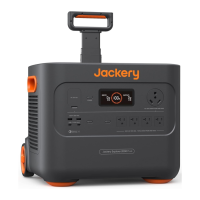
Jackery Explorer 3000 - Lcd Display

Jackery Explorer 3000
51 pages
Print Icon
To Next Page IconTo Next Page
To Previous Page IconTo Previous Page
Loading...
03
US
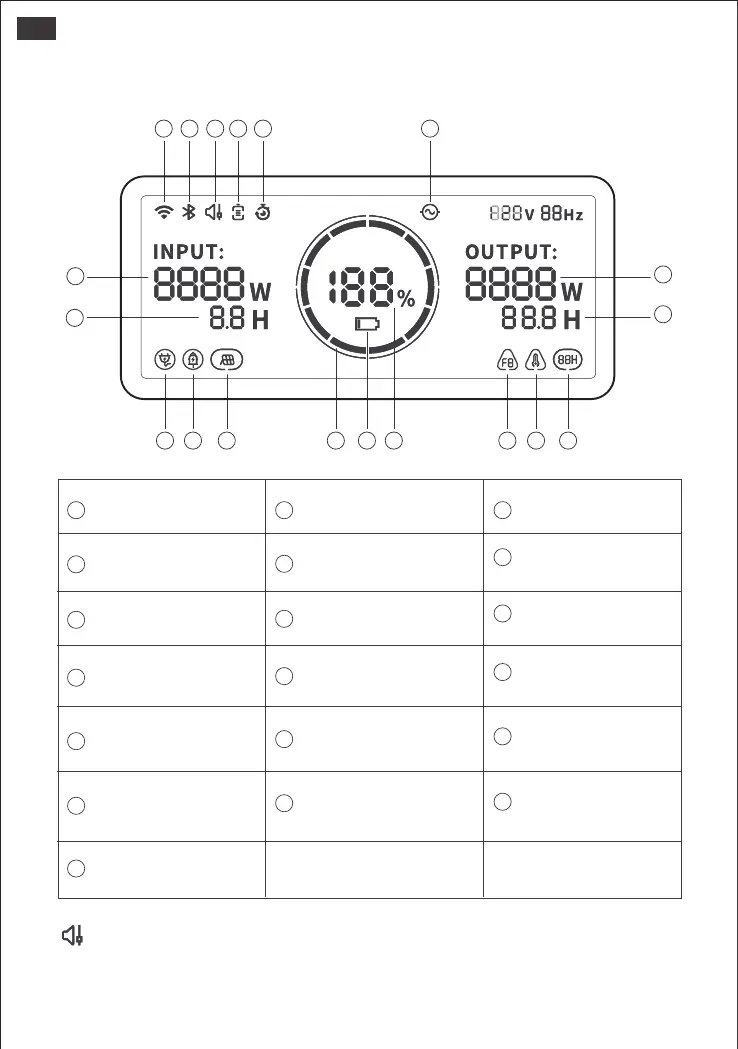
LCD DISPLAY
18
19
7
8
1
9
2
10 11 12 13 14 15 16 17
3 4 5 6
Output Power
Energy Saving Mode
Remaining Discharge Time
AC Power Indicator
Pure Sine Wave
15
11
18
12
17
14
8
9
AC Wall Charging
Indicator
Car Charging
Indicator
Battery Power
Indicator
Solar Charging Indicator
Low Battery Indicator
Remaining Battery
Percentage
High temperature/Low
temperature Indicator
Fault Code
5
6
Input Power
7
13
10
16
19
4
1 2 3
Wi-Fi
Bluetooth
Quiet Charging Mode
Battery Saving Mode/
Self-powered Mode
Charging Plan Indicator
Remaining Charge Time
When Quiet Charging Mode is activated, the charging power is reduced, charging speed is
slowed down, and noise during charging is significantly reduced (please enable/disable this
feature in the Jackery App).
Quiet Charging Mode

Related product manuals