e.
See FAQ at support.jadens.com
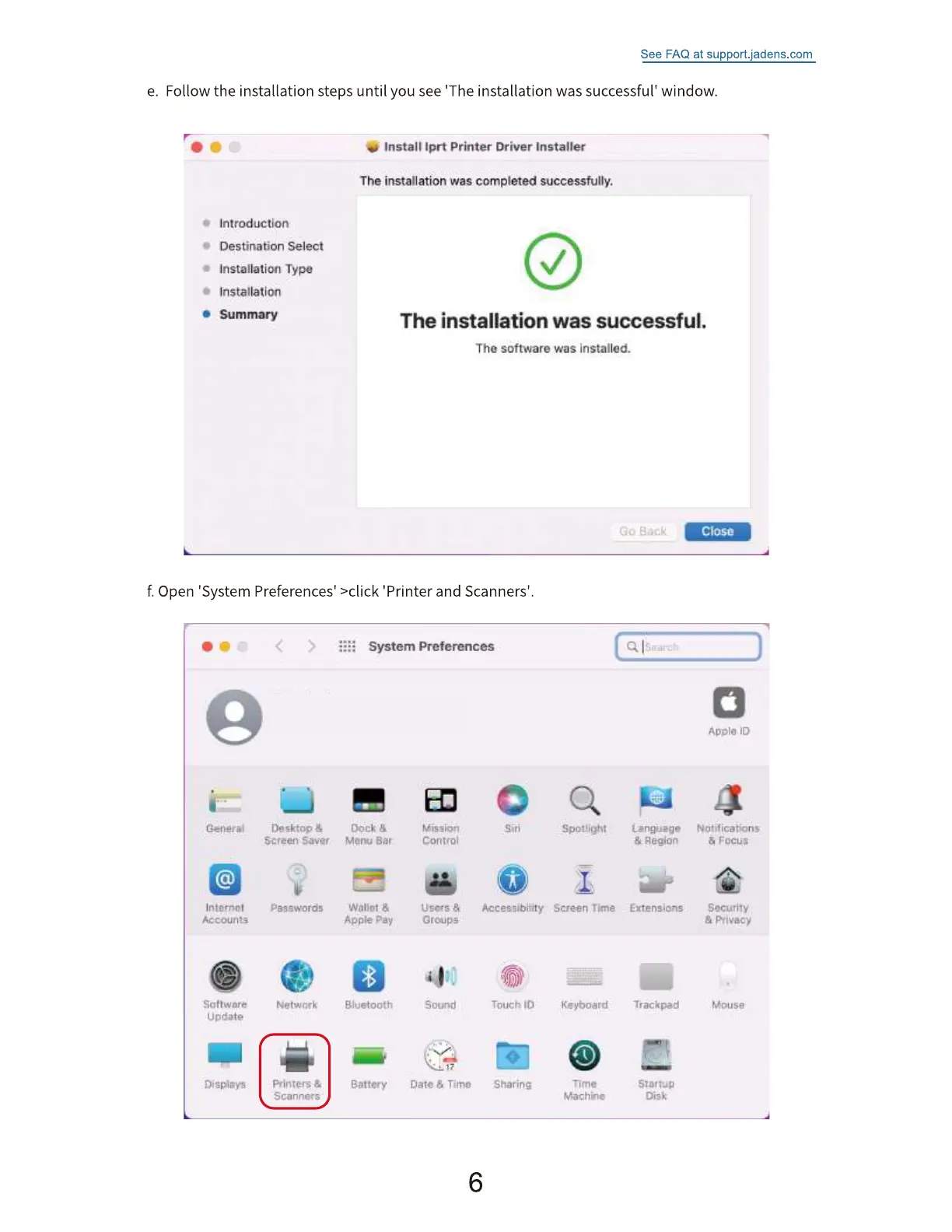
Follow the installation steps until you see 'The installation was successful' window.
introduction
Destination Select
• Installation Typo
o Instalation
Summary
•e Install Iprt printer Driver Installer
The instalation was completed successfully.
The installation was successful.
Tho software was installed.
Close
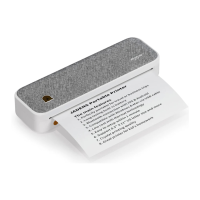
f. Open 'System Preferences' >click 'Printer and Scanners'.
System Preferences
Genera,'
Accounts
Ljpdate
Dili Bitys
Desktop
screen
Passwords
Network
Sconnqts
Ouk
Menu
Appie
-Bluetooth
Battery
Mission
controi
tJE«s &
Soorsd
i 17
oatc & Timo
6
Acceszibiiity
Touch 10
snaring
Spotlight
Screen time
Keyboard
Machine
Region
Extensions
Trackpad
Disk
Notifications
unuse


 To Next Page