See FAQ at support.jadens.com
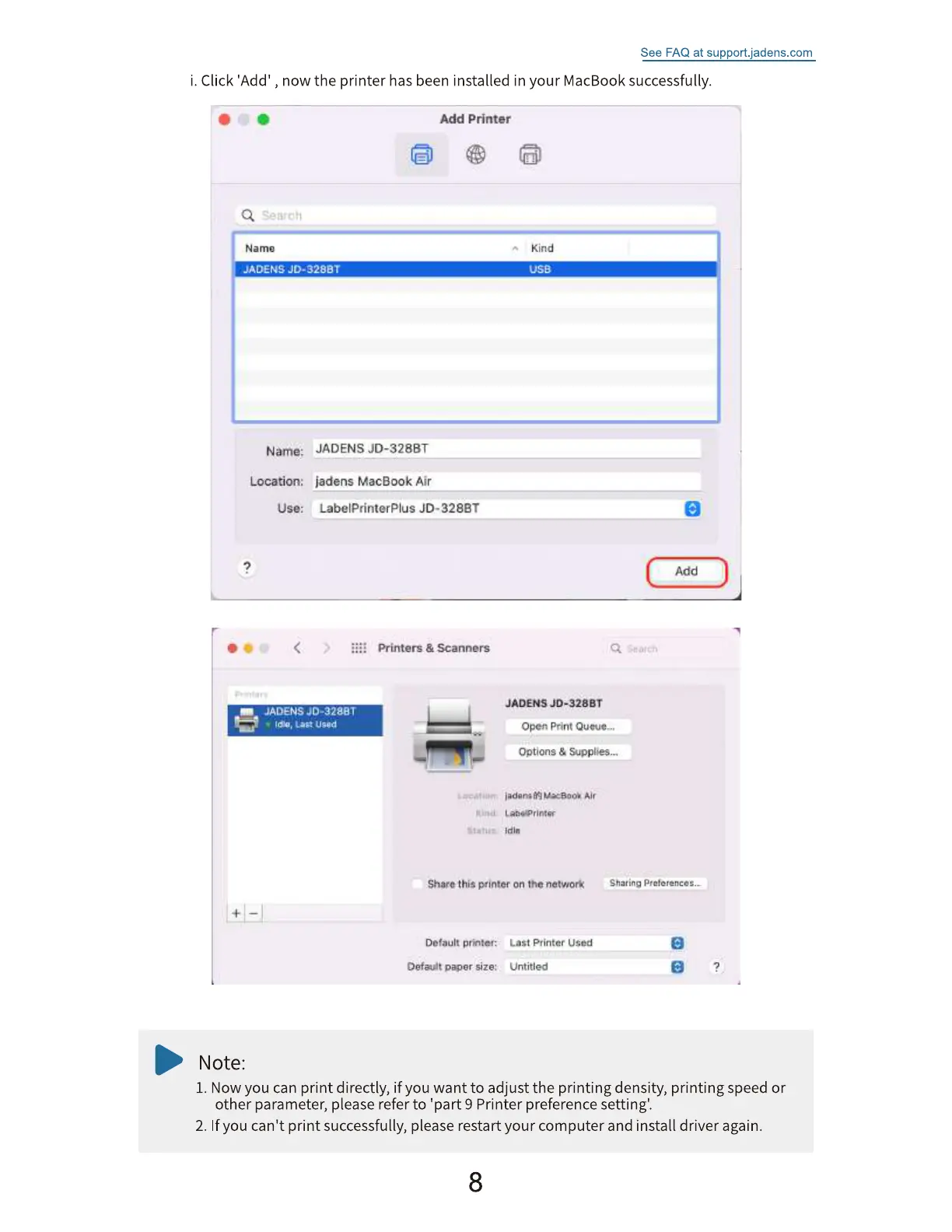
i. Click 'Add' , now the printer has been installed in your MacBook successfully.
Name
JAU±US
Name;
Location:
use:
JADE-NS
Add Printer
Kind
OSS
JADENS JO-328BT
ladens MacBook Air
LabelPrinterPIus JD-328ET
Printers Scanners
'ADENSJD-3Z8BT
Open print
Options &
Air
Share this gtintef on the
Add
Sharing Preferences..
pritt;tet•
Oetea.nt moer Size:
Note:
Printer Used
Untitled
1. Now you can print directly, if you want to adjust the printing density, printing speed or
other parameter, please refer to 'part 9 Printer preference setting'.
2. If you can't print successfully, please restart your computer and install driver again.
8


 To Next Page