See FAQ at support.jadens.com
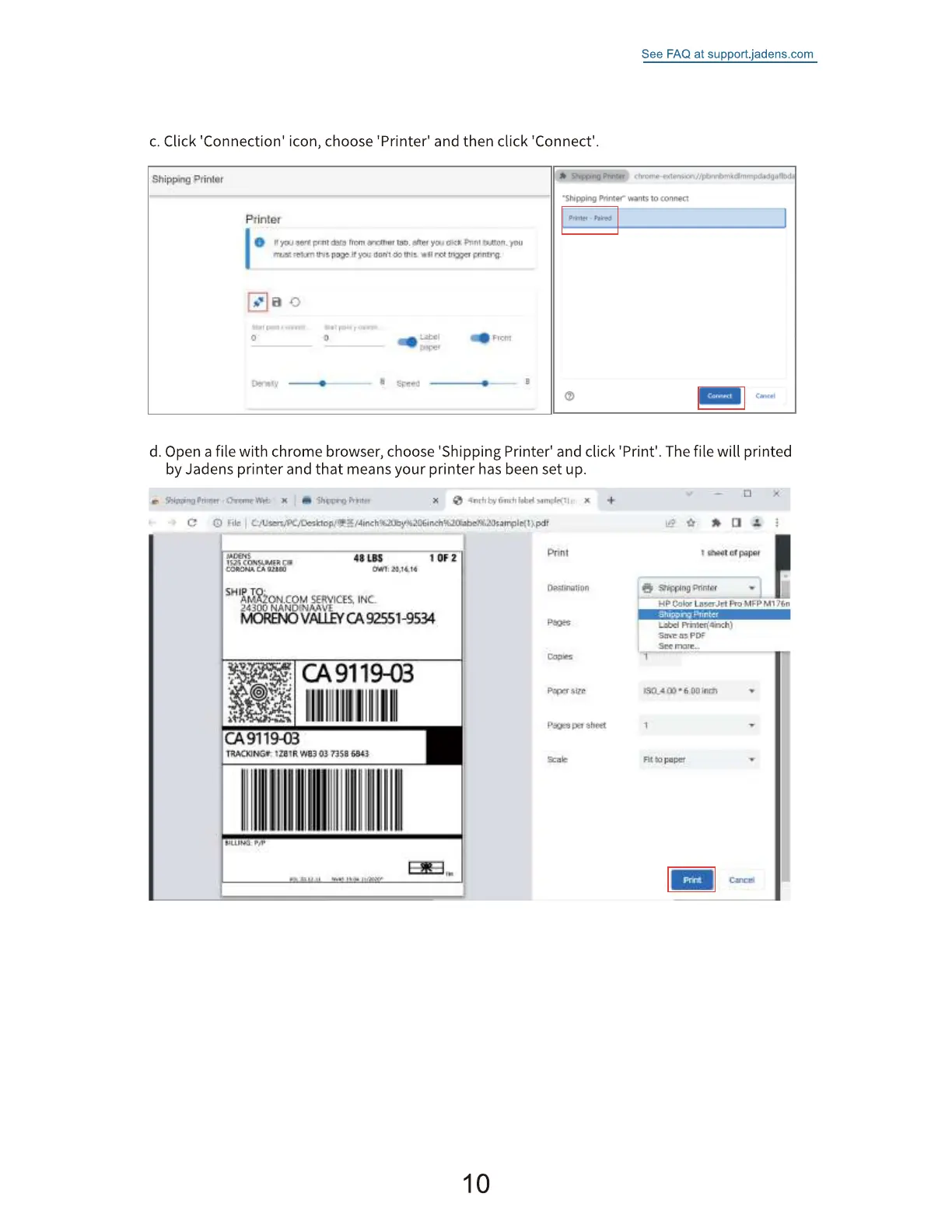
c. Click 'Connection' icon, choose 'Printer' and then click 'Connect'.
Shipping
ptintet
t.r•• ft don't t"" no toner gnntrq. •
d. Open a file with chrome browser, choose 'Shipping Printer' and click 'Print'. The file will printed
by Jadens printer and that means your printer has been set up.
'S gili
48 LBS
Ova:
SERVICES, INC.
24300
MORED40VßUEYCA92551-9534
CA9119-03
49119-03
TRACK]Nge t3Sä
t f*pe,"
OR:itinaiion
Fixer
Sheet
See
Fit paper
10


 To Next Page