JIF-2002 WEIGHING INDICATOR&CONTROLLER
46
◎ Customer Programmed Control Mode: Loss-in-Weight
( F101 = 2)
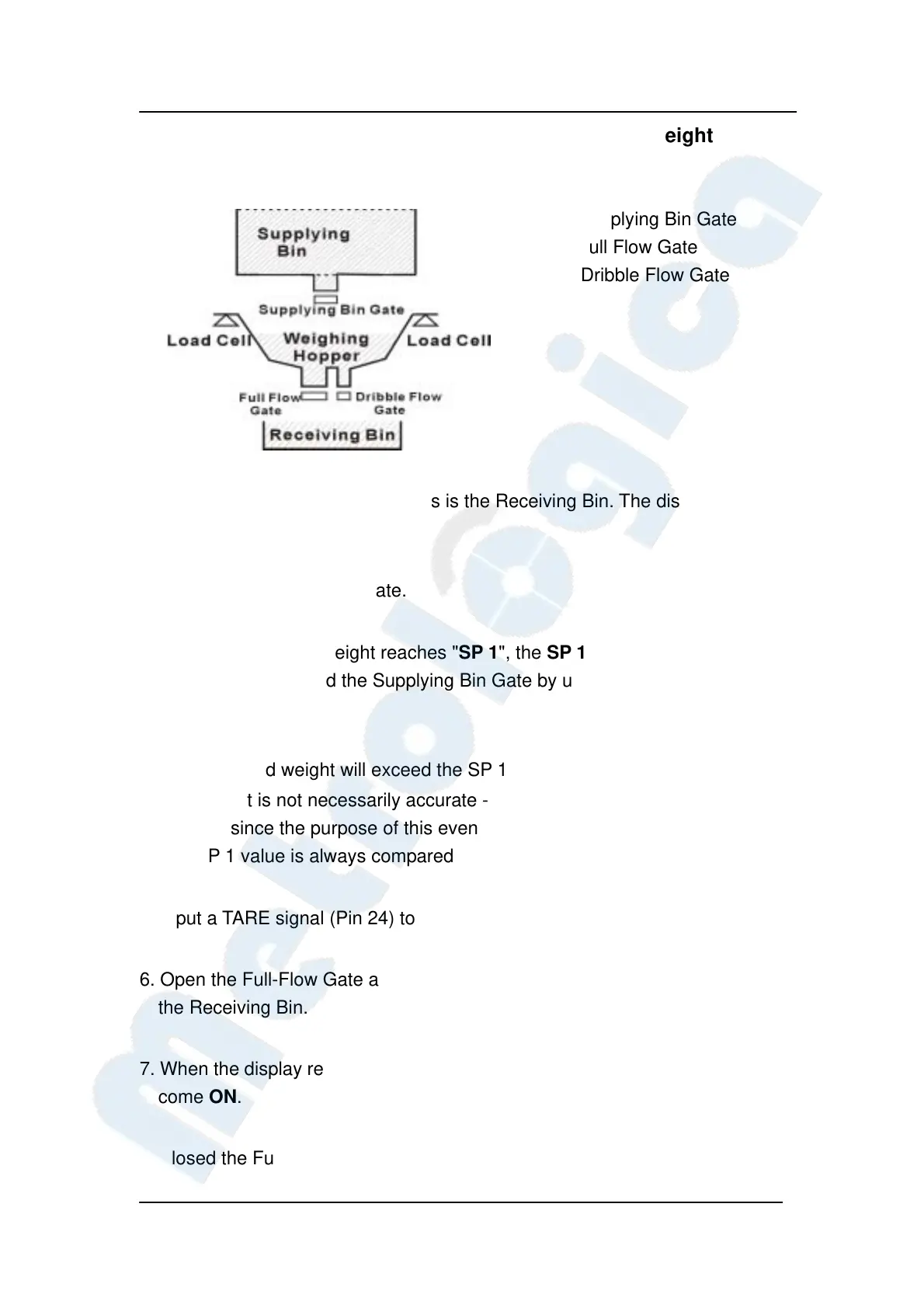
SP1 – Supplying Bin Gate
SP2 – Full Flow Gate
Free – Dribble Flow Gate
1. The Weighing Hopper is empty as is the Receiving Bin. The display shows
"0", and all Gates are closed.
2. Open the Supplying Bin Gate.
3. When the GROSS Weight reaches "SP 1", the SP 1 Output (Pin 12) signal
will come ON. Closed the Supplying Bin Gate by using the SP 1 Output ON
signal.
4. The displayed weight will exceed the SP 1 value by the Free Fall value.
This weight is not necessarily accurate - but accuracy is not needed at this
moment since the purpose of this event is to fill up the Weighing Hopper.
The SP 1 value is always compared to GROSS weight.
5. Input a TARE signal (Pin 24) to ZERO the display.
6. Open the Full-Flow Gate and the Dribble-Flow Gate for Full-Flow filling into
the Receiving Bin.
7. When the display reaches "Final - SP 2", the SP 2 Output (Pin 11) signal will
come ON.
Closed the Full-Flow Gate by using the SP 2 Output ON signal.


 To Next Page
 Loading...