Modbus Interaction table
Output
Temperature
Recovery Temperature
Decrease / increase buttons
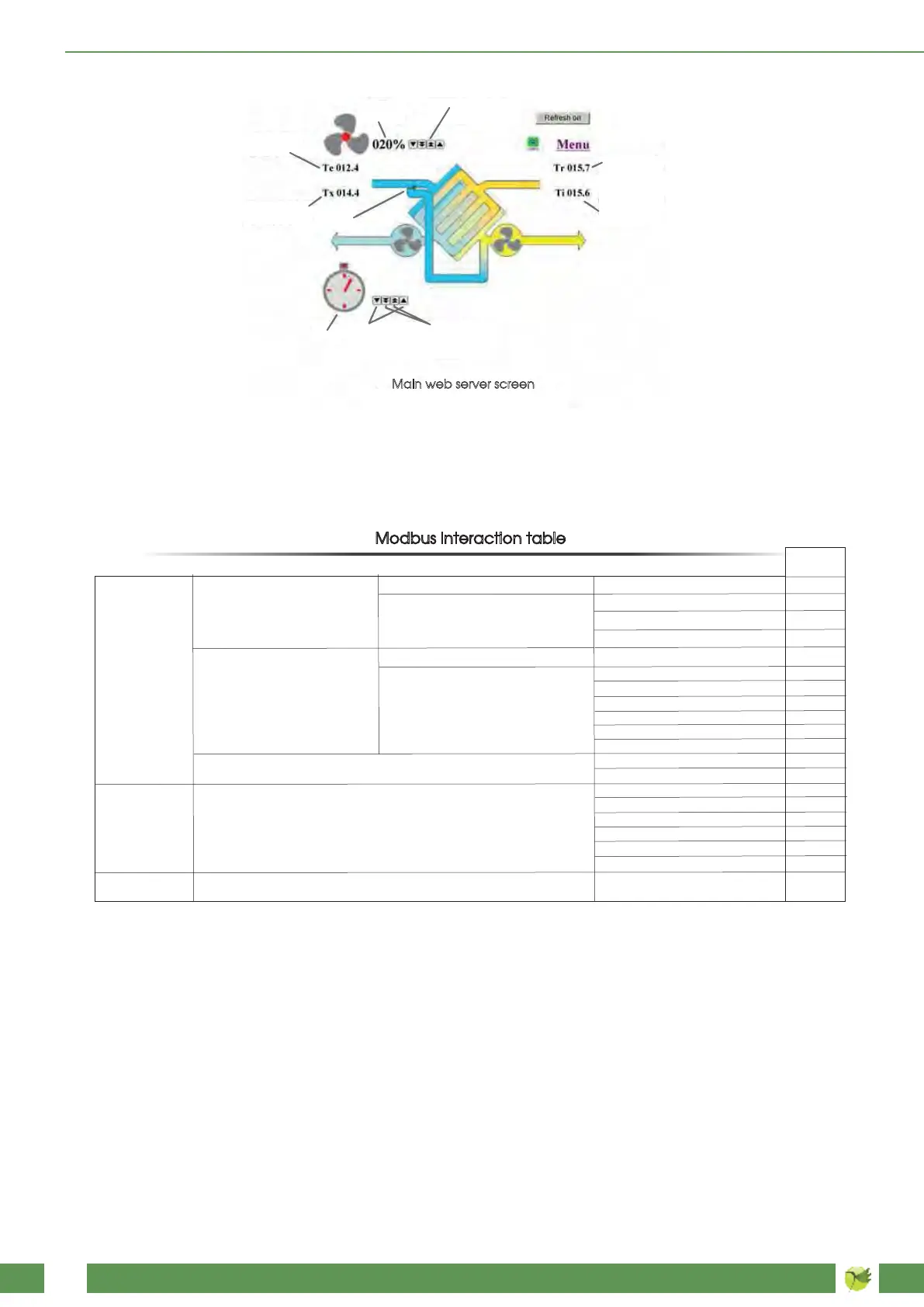
Main web server screen
Input Temperature
Expulsion
Temperature
Decrease / Increase 10 units
Decrease /
Increase 1 unit
By-pass
Timer
Fans speed
Data access
Bit access
Physical Discrete Inputs
Function
Code
Read Discrete Inputs
Read Coils
Write Single Coil
Write Multiple Coils
Read Input Register
Read Holding Registers
Write Single Register
Write Multiple Registers
Read/Write Multiple Registers
Mask Write Register
Read FIFO queue
Read File record
Write File record
Read Exception status
Diagnostic
Get Com event counter
Get Com Event Log
Report Slave ID
Read device Identification
Encapsulated Interface
Transport
Internal Bits
Or Physical coils
16 bits access
Diagnostics
Other
File record access
Physical Input Registers
Internal Registers
Or Physical Output Registers
02
01
05
15
04
03
06
16
23
22
24
20
21
07
08
11
12
17
43
43
On the main mask we find a reproduction of the classic touch panel screen, the difference are the changes that are performed using
the arrow keys.You can increase or decrease the values by one unit clicking the single-arrow key, otherwise you can increase or
decrease them by several units clicking the double-arrow key. Clicking on the middle button you can turn off directly post-heat ,fans,
or timer. Changes are automatically saved after 5 seconds. The writing of the Holding Registers via modbus is disabled for 60 seconds
after each change made through the Web server. In order for the webpage to be continuously updated, click the "refresh on" key:
the writing will become "refresh off", so the page will be updated every five seconds. Should the machine be equipped with a post-he-
ating system, also the desired set-point temperature will be displayed: When you click the Menu icon, a list of available choices will
appear, which can be selected by the arrow keys. For the description of the several menus, refer to the previous items.
Configuration parameters, set-points, and input signals, statuses and alarms are in format word 16 Bit and are accessible as:
BXX is the XXth bit of a word (XX is a value comprised between 00 and 15). R indicates the word is just readable, while R/W indicates
the word is readable and writable. R/W values are reset to the values set by the Web server or if the register access time is exceeded
or the unit is switched off. The most significant bit is characterized by the highest value: for instance, between B00 and B15 the latter is
the most significant one. Standard addressing (Gould) is zero based in the protocol message. That means that if you want to read the
first register, holding register 1, the starting register field in the message will be 0000. Below the modus table
Read Holding Registers
Write Single Register
Write Multiple Registers
Read/Write Multiple Registers
03
06
16
23



 To Next Page