3 Channel Search
and
M
S
C
s
to exit M
To access the menu, press MENU
select [Search Channel]. The enu
provides options to adjust the earch
hannel settings.
Select an option and press RIGHT/LEFT
to adjust the setting .
Press EXIT the enu.
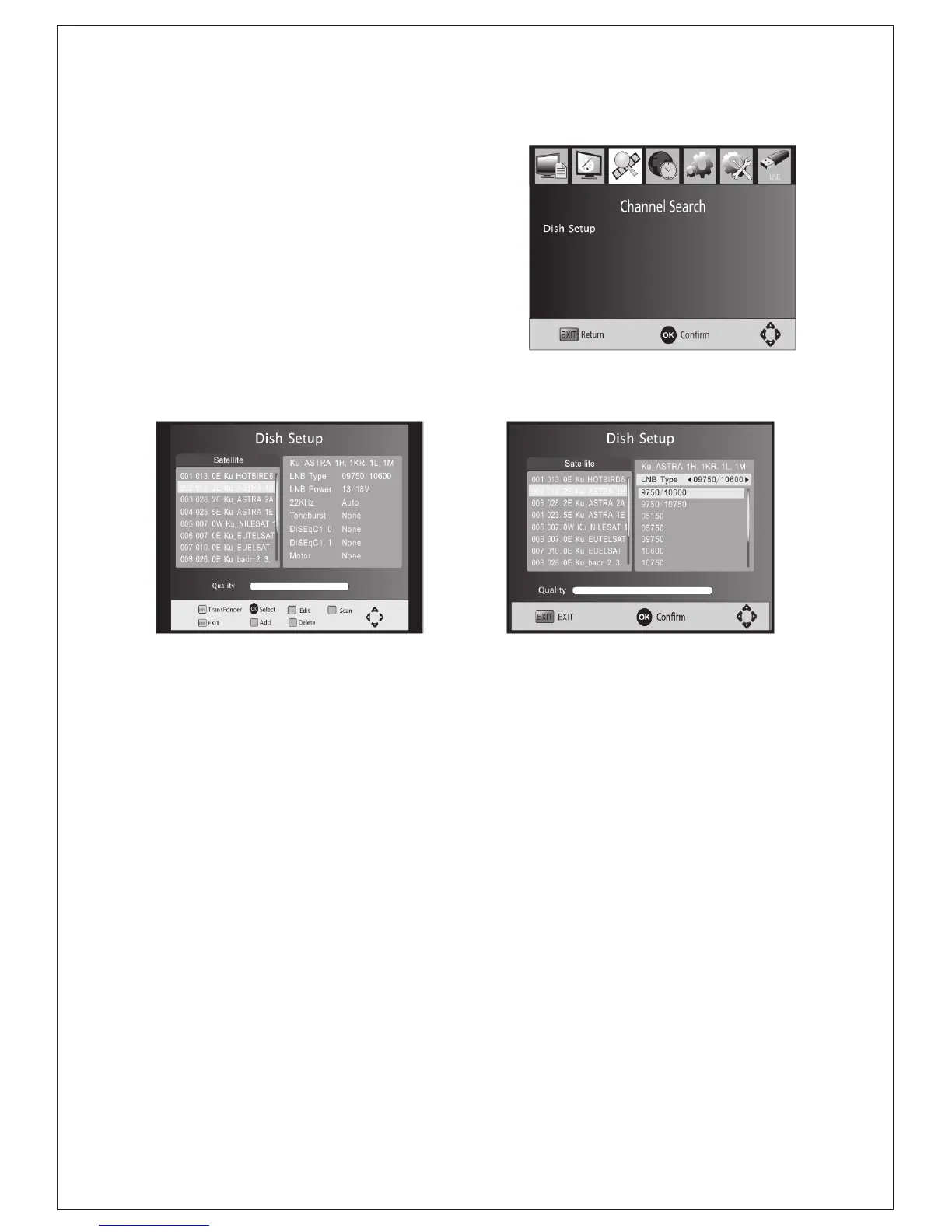
(1).Satellite
Configure the settings of satellites.
Satellites' list: Press Up/Down to select a
satellite, whose settings will be shown at right side.
LNB Type: Press LEFT/RIGHT/OK to show the list of LNB Types which is
shown as frequencies of local oscillator. You also can enter frequency by
User Single, User Dual at bottom of the list.
LNB Power: Press LEFT/RIGHT to set the LNB power.
22K: Press Left/Right to switch on or off the 22K,which is set with auto
when LNB Type is dual local oscillator.
Toneburst: Enable or Disable the toneburst switcher.
DiSEqC1.0: select the right port up to 4 for the right LNB.
DiSEqC1.1: select the right port up to 16 for the right LNB.
Motor: Press LEFT/RIGHT to select DiSEqC1.2 or DiSEqC1.3. Then
Press OK to show the menu to set position.
DiSEqC1.2: Move the motor to a right position to lock the signal.
DiSEqC1.3: Move the motor according to the local and satellite positions.
Move Auto: Press LEFT/RIGHT to start to move West/East. It will be
stopped automatically when the signal is locked.
Move Continue: Press LEFT/RIGHT to start to move West/East.
It will keep moving until you stop it.
Move Step[1]: Press LEFT/RIGHT to move just a step.
Store Position: store current position of motor.
Goto Position: Press LEFT/RIGHT to goto the position stored.
Goto Reference: Rest all the positions.
Goto X: goto the position calculated from the local and satellite positions.
(Figure:channel search)
(Figure:Satellites' List) (Figure:LNB Type Setting)
-8-



 To Next Page