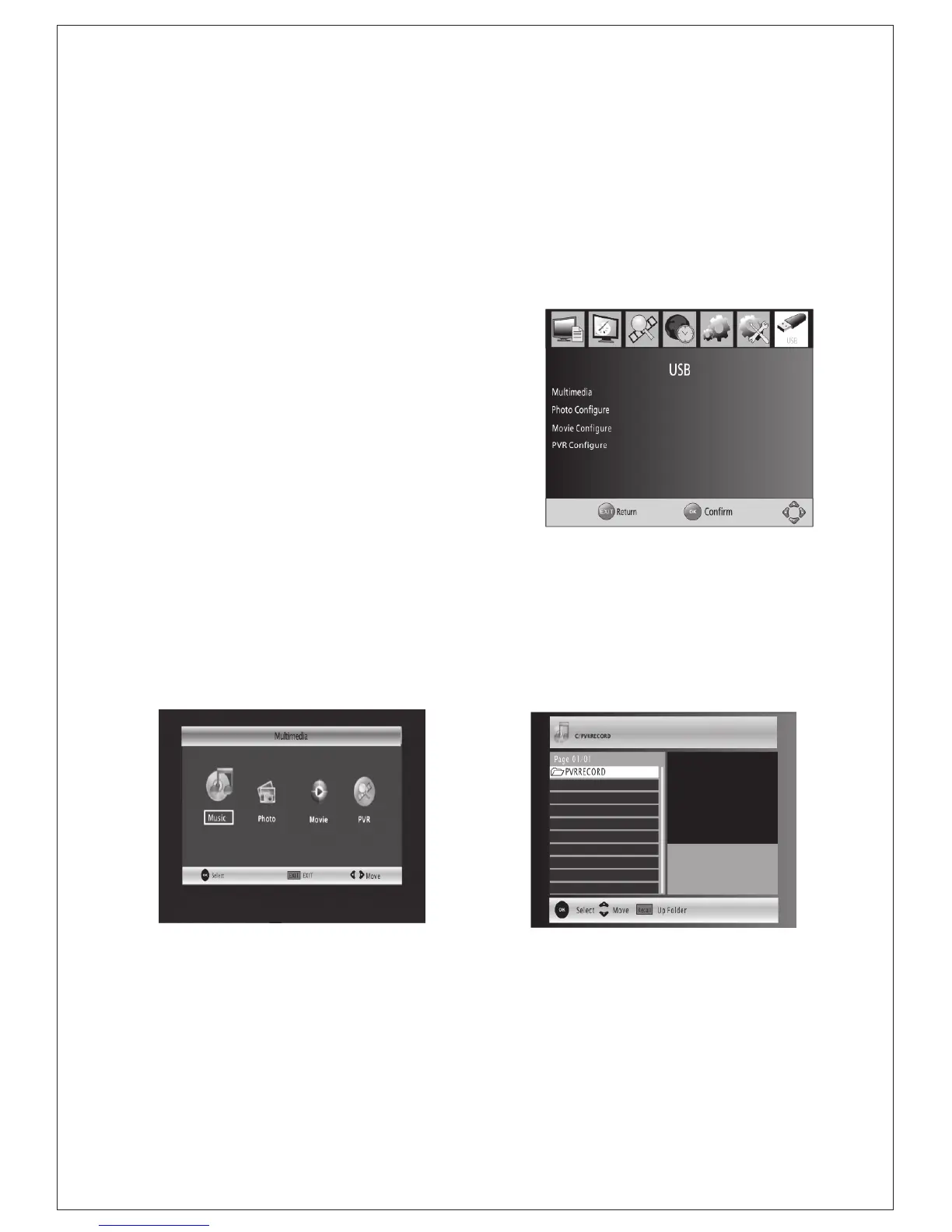
7 USB
To access the Menu, press the MENU
button and select [USB]. The menu
provides options to playback Music and
Photo files, it can support MP3,WMA,
JPEG, BMP files, The unit will only
support USB device with FAT and
FAT32 file system. It will not support
NTFS file system.
(1)Multimedia:
if no USB device plugged into it, a
warning message "No USB Device
is Found" displays, otherwise you can
select the Music or Photo type in this
menu and press OK to enter the file
browser and select the file to playback.
(Figure:USB)
-
13
-
(3) Information
View model, hardware and software information.
(4)
(5) Software update
select to start software update if USB is connecting and there's a upgrading file.
Recall List
enable or disable Recall list function, which support multi-recall -program
switching.
(Figure:Multimedia)
(Figure:Multimedia)


 To Next Page